If you want an AI to run your crawls, dig through the data and hand you full exports, go with the Screaming Frog MCP. If you just want to chat with an audit that is already done, with nothing complicated to install and no risk, the Sitebulb MCP does the job very well. The two are not playing in the same league.
What the Screaming Frog MCP and the Sitebulb MCP are
An MCP (Model Context Protocol) is a standard connector between an AI like Claude or ChatGPT and a piece of software. Instead of exporting a CSV and pasting it into the conversation, the AI fetches the data from the tool by itself. If the term is new to you, I explain it in more detail in the MCP entry of the GEO glossary.
Screaming Frog and Sitebulb released their MCP the same year, four months apart. But they made two opposite choices, and almost the whole comparison follows from that.
The Screaming Frog MCP: a local server that drives the crawl
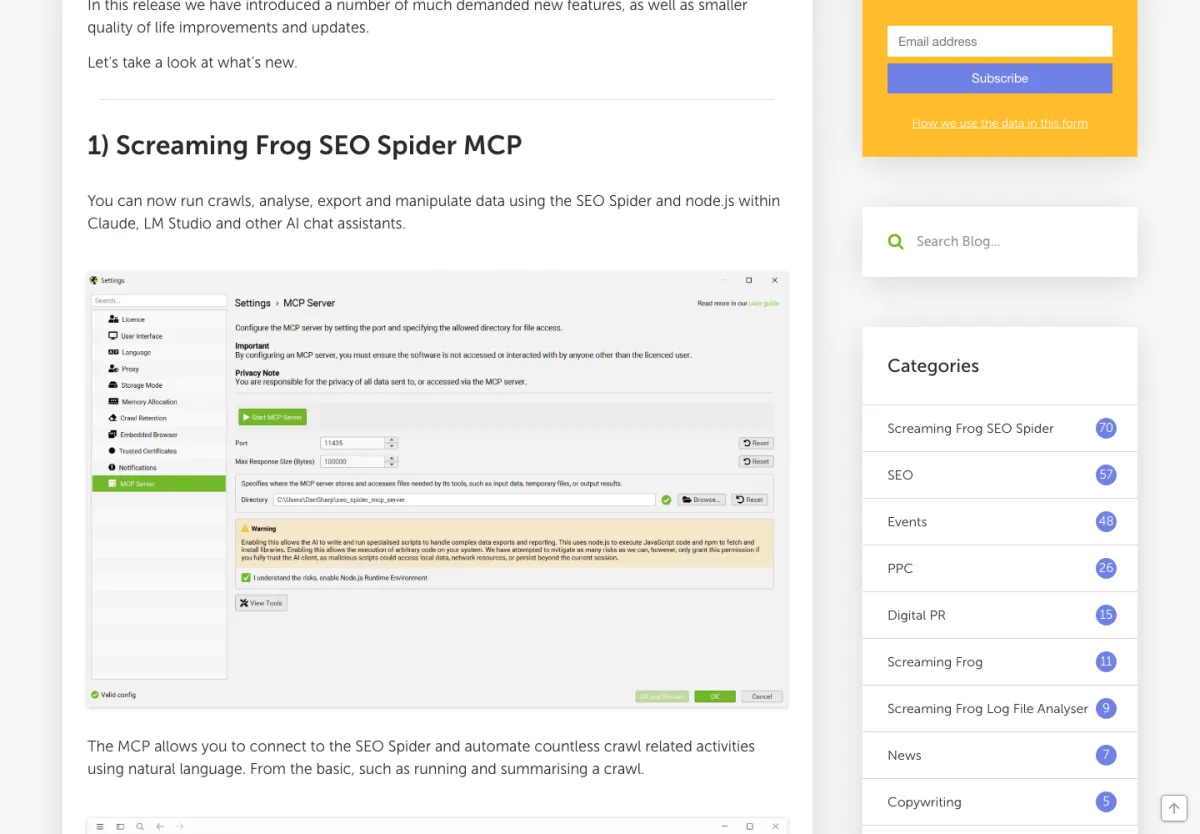
Screaming Frog launched its MCP with version 24 of the SEO Spider, on 19 May 2026, in a post signed by Dan Sharp, the founder. The server runs on your machine. Claude can start a crawl, pause it, track its progress, generate reports, export data, read the content or links of a page, and even write files to a dedicated folder.
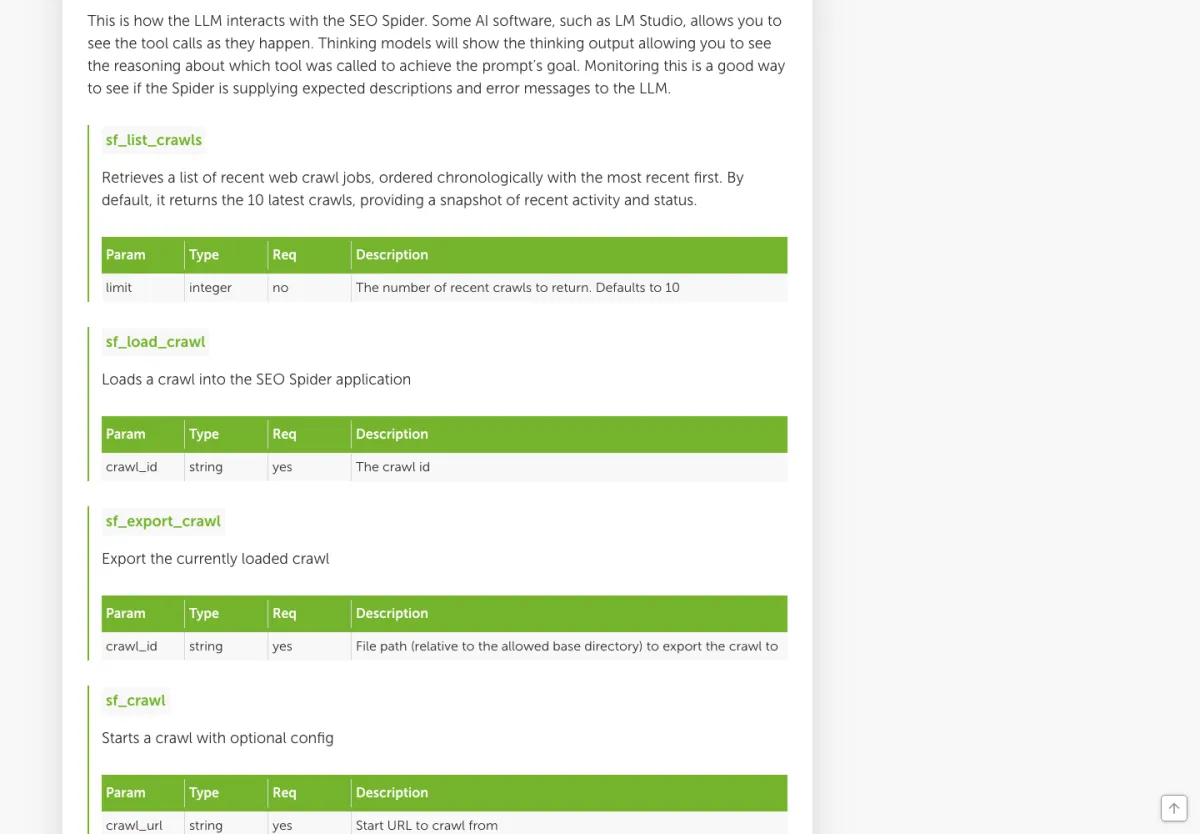
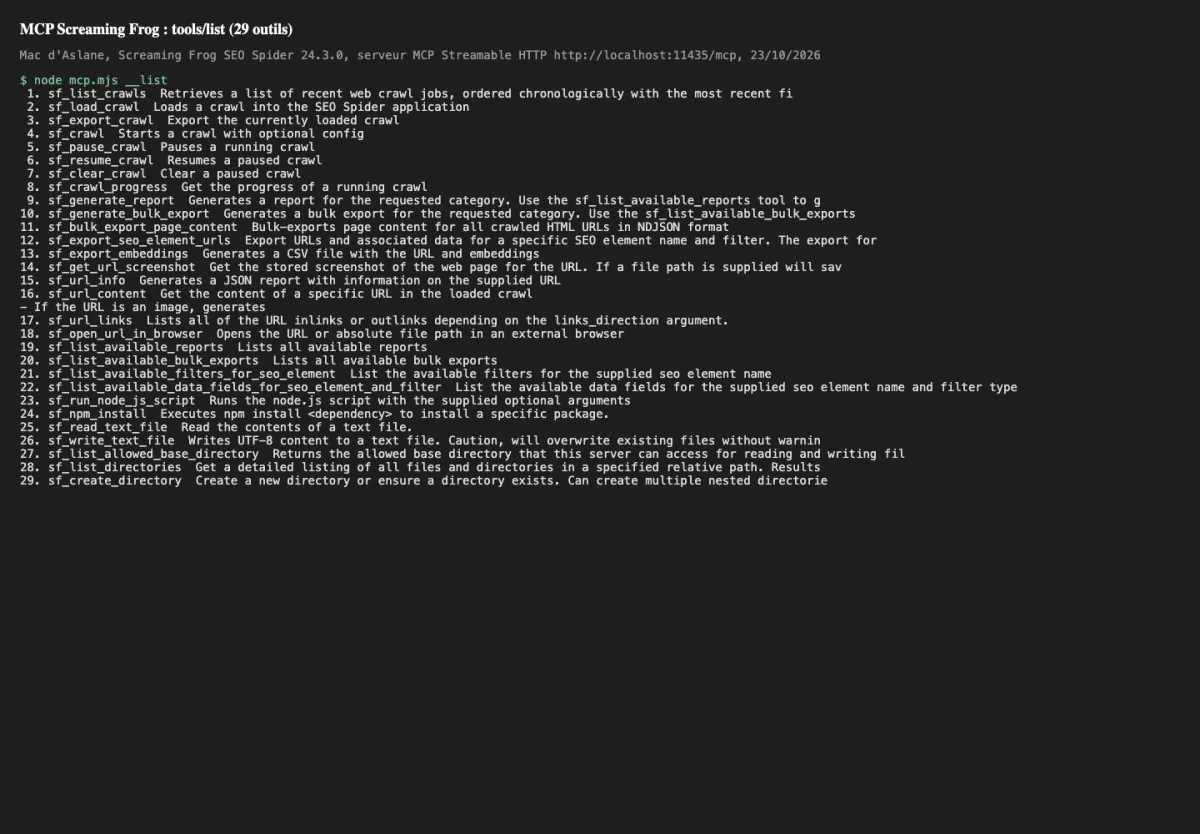
The official guide lists 29 tools. On my Mac, with version 24.3, I count 29 as well. Two of them can run Node.js and install npm packages. They are disabled by default, and Screaming Frog recommends enabling them only for a model you trust.
One condition: a paid licence. The MCP does not work with the free version.
The Sitebulb MCP: a read-only connector on your audits
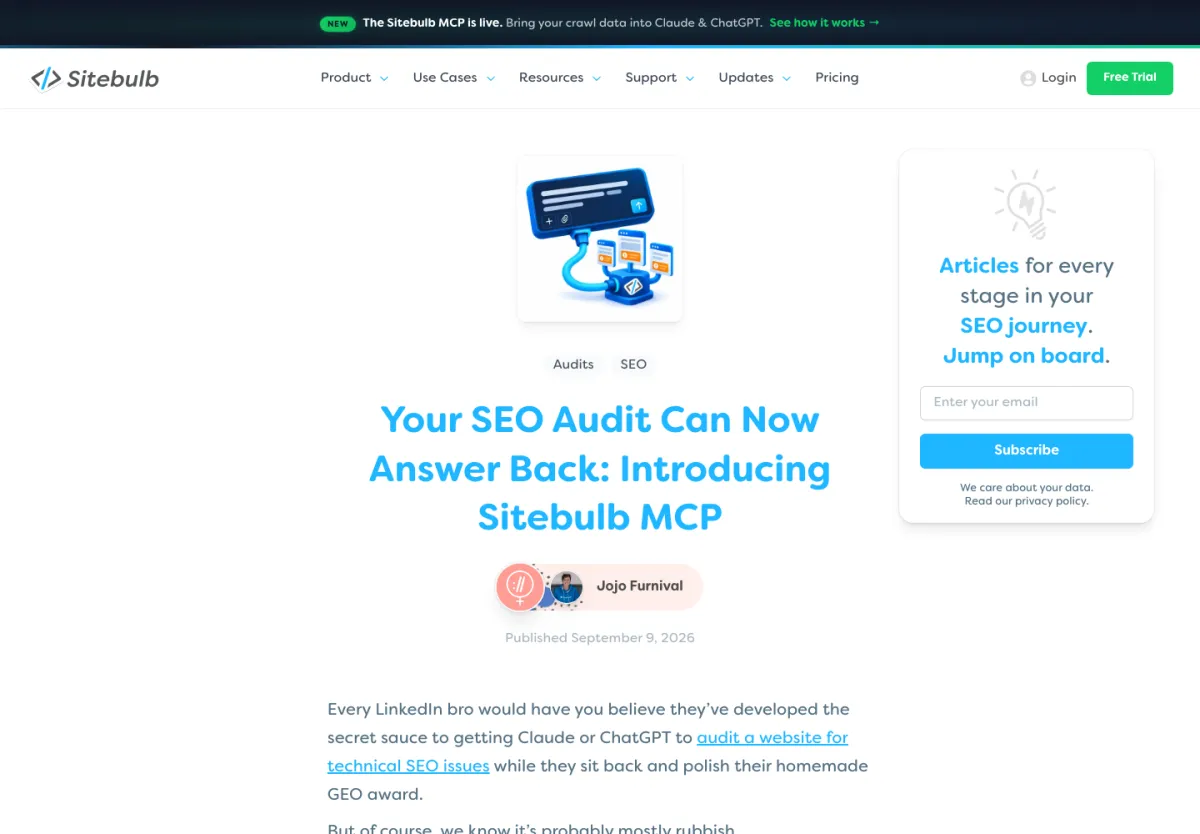
Sitebulb announced its MCP on 9 September 2026. Here, nothing runs on your side: it is a connector hosted by Sitebulb. You add it in Claude or ChatGPT, you log in to your Sitebulb account, and you are done.
The Sitebulb MCP has 15 tools, all read-only. It lists your projects and audits, summarises an audit (score out of 100, number of URLs, issues by severity), returns sample URLs for an issue, details a URL and compares two audits. However, it cannot start a crawl or read a crawl in progress. And it returns at most 50 URLs per issue. For the full list, you need to use the export in the app.
Sitebulb also ships 5 ready-made Skills: what to fix first, what changed since the last audit, technical audit, pre-release check and handoff to developers. The MCP is included in every plan, free trial included.
How the Screaming Frog MCP and the Sitebulb MCP work day to day
Installing and using the Screaming Frog MCP with Claude Desktop
You need SEO Spider version 24 or later, with a licence and database storage mode (the default setting). Then go to File > Settings > MCP Server: enable the server, accept Node.js and pick a folder where the AI is allowed to read and write.
You have two ways to connect it:
- STDIO, the recommended mode for Claude Desktop. You install the extension provided by Screaming Frog, and Claude starts the SEO Spider in the background by itself.
- Streamable HTTP. You start the server from the SEO Spider, which stays open, and you can see on screen what the AI is doing. On my machine, it listens on port 11435.
In Claude Desktop, the extension is installed in Settings > Extensions. You then need to quit Claude completely and restart it. LM Studio is supported too.
After that, you just talk: “crawl this site and give me the 404 pages with their inlinks”. Claude chains the tools by itself. Screaming Frog recommends exporting to files rather than pushing everything through the conversation, and starting a new conversation for each task. Version 24.1 also added automatic server start at launch, handy if you run the SEO Spider on a cloud machine.
Connecting the Sitebulb MCP to Claude or ChatGPT
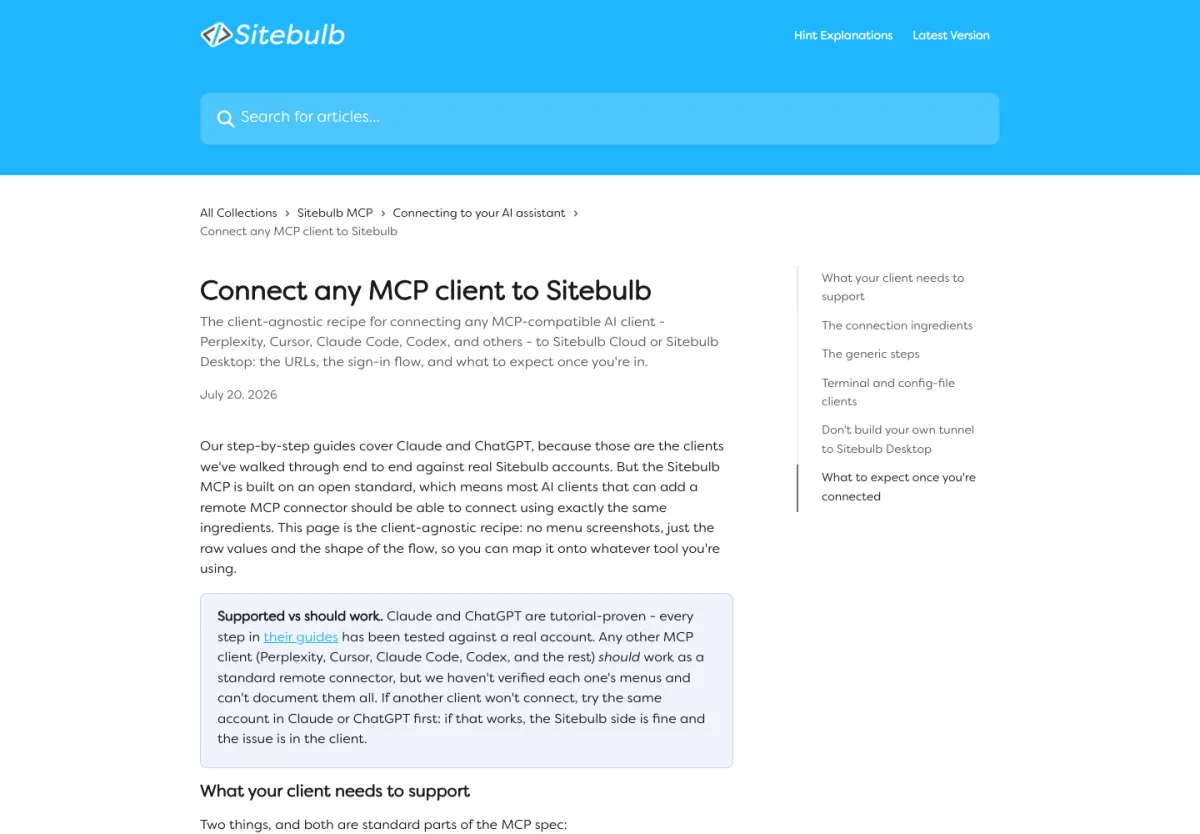
On the Sitebulb side, you need an account (Lite, Pro, Cloud or the trial). If you use the Desktop version, the app must be open, logged in and up to date while you chat with Claude.
In Claude, go to the connector settings, add a custom connector with the address provided by Sitebulb, then log in to your account. You choose the computer running Sitebulb (or your Cloud workspace) and confirm. In ChatGPT, Sitebulb is added as a plugin. On a Claude Team account, only the owner can add the connector for the whole team.
Then you ask your questions: “what are the most serious issues in my last audit?”. Sitebulb answers with its Hints, already ranked by severity. The Skills can even create tickets in Jira, Linear, Asana, Monday or ClickUp, but through those tools’ own connectors. The Sitebulb MCP itself never changes anything.
Comparison table of the Screaming Frog MCP and the Sitebulb MCP
| Criterion | Screaming Frog MCP | Sitebulb MCP | Edge |
|---|---|---|---|
| Release | 19 May 2026 (version 24) | 9 September 2026 | Screaming Frog, more mature |
| Where it runs | On your machine | At Sitebulb, linked to your Desktop or Sitebulb Cloud | Depends on your needs |
| Login | Local, no account | Login to your Sitebulb account | Sitebulb |
| Setup | Setting in the SEO Spider, extension, Claude restart | One address to add and a login | Sitebulb |
| Number of tools | 29 | 15 | Screaming Frog |
| Start a crawl from the AI | Yes | No | Screaming Frog |
| Track a crawl in progress | Yes | No, finished audits only | Screaming Frog |
| Data volume | Full exports, page content, embeddings | 50 URLs max per issue | Screaming Frog |
| Prioritisation | Issues report ranked by priority | Hints ranked by severity, score out of 100 | Sitebulb, more guided |
| Crawl comparison | Through SEO Spider comparisons | Dedicated tool in the MCP | Tie |
| Files and scripts | Read, write, Node.js (disabled by default) | None | Screaming Frog |
| Ready-made workflows | None | 5 Skills | Sitebulb |
| Documented AI assistants | Claude Desktop, LM Studio | Claude, ChatGPT | Tie |
| Security | The AI can write and execute if you allow it | Read-only | Sitebulb |
| Entry price | €245 per year, nothing free | From €15 per month, free trial | Sitebulb to try it |
In short, Screaming Frog wins on everything the AI can do, Sitebulb on simplicity and control. Sources: documentation and pricing pages of both vendors, checked on 23/10/2026, and my test the same day.
Who wins between the Screaming Frog MCP and the Sitebulb MCP, criterion by criterion
Setup: the Sitebulb MCP is the easiest to connect
With Sitebulb, you paste an address, you log in, and that’s it. With Screaming Frog, there is a setting in the software, an extension to install and a full Claude restart. If the SEO Spider is not installed in the default location, you even have to edit the extension file.
During my test, I ran into a small trap: started from the command line with the --headless option, the server refuses to start without a URL to crawl. Without that option, it starts normally. For someone who is not comfortable with technical setup, Sitebulb is clearly ahead.
Driving a crawl: only the Screaming Frog MCP does it
On aioseo.fr, one call was enough to start the crawl, and a second one to track progress. With Sitebulb, it is impossible by design: you start or schedule the crawl in the app, then wait for it to finish before asking your questions.
If you want an AI that fixes, recrawls and checks, it’s Screaming Frog.
Answer quality: Hints already sorted in Sitebulb, raw data in Screaming Frog
This is the most debated point. Sitebulb insists that its Hints are “already judged”: the AI works on issues the software has already sorted, not on thousands of rows. That is the vendor’s argument, and it still needs to be checked on a real site.
With Screaming Frog, the AI gets the data and decides by itself what matters. The issues report still gives each row a high, medium or low priority. The problem is volume: on my site, that report alone is 36,203 characters, and the list of pages with two H1s is 79,129. Screaming Frog says it itself: large exports can fill up the conversation’s memory.
For a quick first diagnosis, I give the edge to Sitebulb. For custom analysis, to Screaming Frog.
Exports and custom analysis: the Screaming Frog MCP goes much further
Screaming Frog gives access to bulk exports, embeddings, page content, screenshots and file writing. In the version 24 announcement, Dan Sharp shows for example a link equity analysis built from a crawl and Ahrefs data. Sitebulb stops at 50 URLs per issue. In my test, Screaming Frog returned the 338 pages affected by a single issue in one call.
Security and privacy: the Sitebulb MCP is more reassuring
The Sitebulb MCP cannot start, stop or change anything. Each user logs in with their own account. On the Screaming Frog side, the AI can write files, and run scripts if you enable it.
Something else I noticed: the tool that lists crawls returns every crawl stored on the machine, including those of other sites. If you crawl client sites, the connected AI can see them.
And there is a misunderstanding to clear up. On 23/10/2026, Google’s AI Overview for “mcp screaming frog” claims that crawl data does not go through the cloud. That is true for the server, but everything Claude reads during the conversation goes to Anthropic, just as it goes to OpenAI with ChatGPT. Both vendors point this out: Sitebulb refers you to your AI account settings, and Screaming Frog states that the privacy of data passed through the MCP is your responsibility.
To get the tool approved by a client or an IT department, an AI that can only read is still much easier.
Pricing of the Screaming Frog MCP and the Sitebulb MCP in euros
| Plan | Price | Crawl limit | MCP included |
|---|---|---|---|
| Screaming Frog free | €0 | 500 URLs | No |
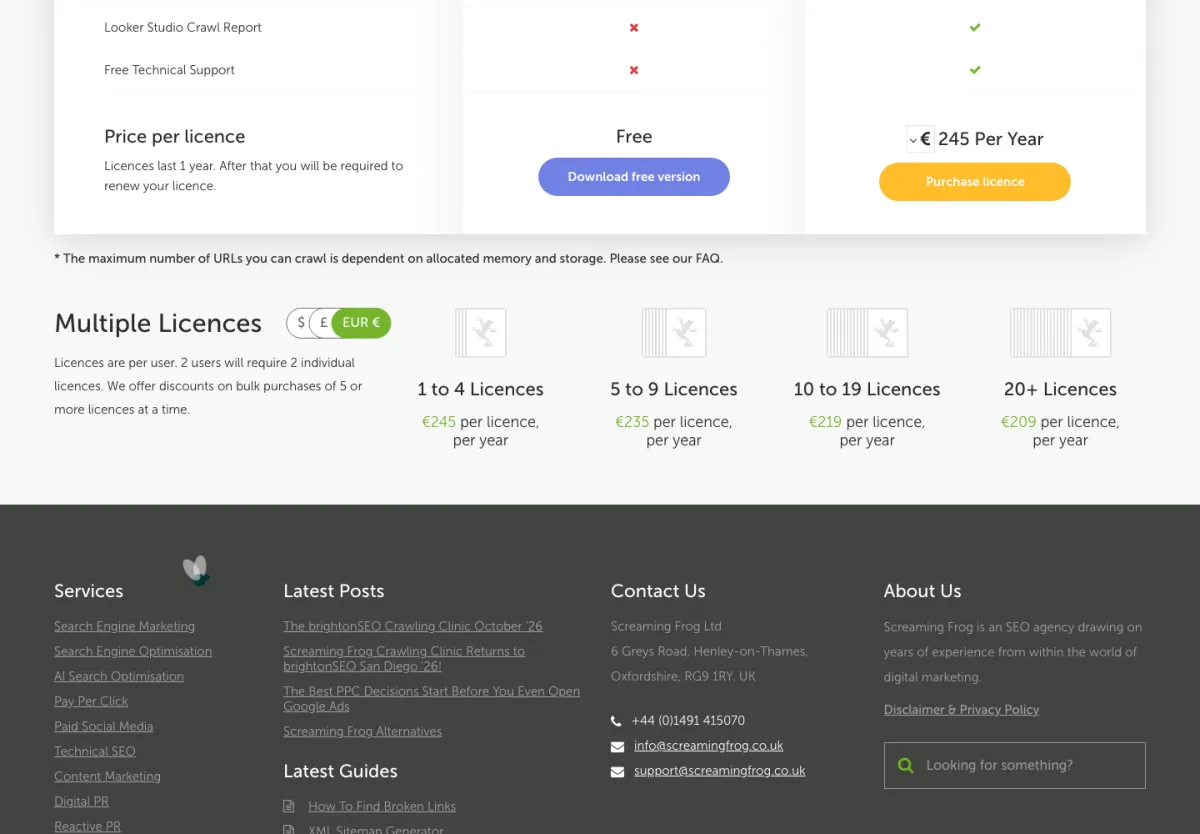
| Screaming Frog, 1 to 4 licences | €245 per year per user | No limit (depends on your machine) | Yes |
| Screaming Frog, 5 to 9 licences | €235 per licence per year | Same | Yes |
| Screaming Frog, 10 to 19 licences | €219 per licence per year | Same | Yes |
| Screaming Frog, 20 licences or more | €209 per licence per year | Same | Yes |
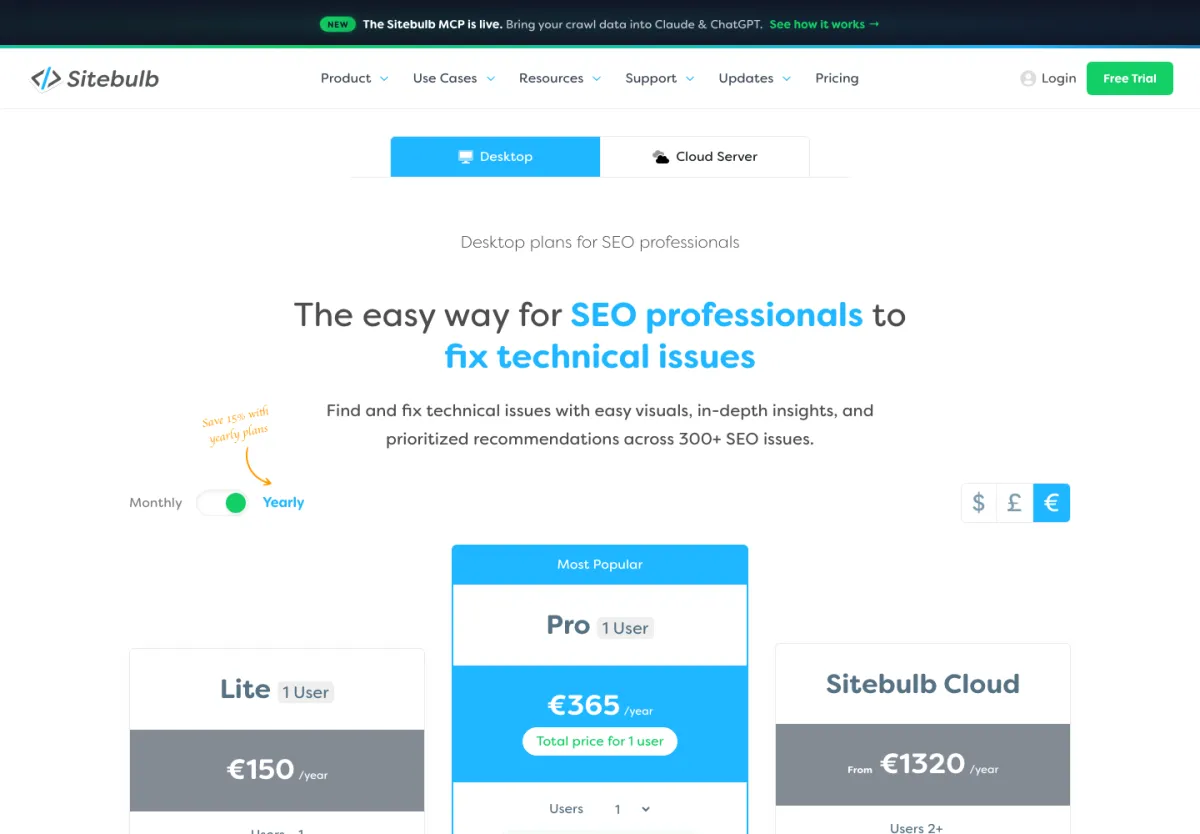
| Sitebulb Lite | €15 per month or €150 per year | 10,000 URLs per audit | Yes |
| Sitebulb Pro | €36 per month or €365 per year, then €94 per year per extra user | 500,000 URLs per audit | Yes |
| Sitebulb Cloud | From €110 per month or €1,320 per year | Depends on the plan | Yes |
Prices checked on 23/10/2026 on both vendors’ pricing pages. Neither page says whether VAT is included. In US dollars, the Screaming Frog licence is $279 per year, and Sitebulb starts at $18 (Lite), $42 (Pro) and $125 (Cloud) per month.
For one person, a year costs €245 with Screaming Frog, €150 with Sitebulb Lite (but limited to 10,000 URLs per audit) and €365 with Sitebulb Pro. With five people, it flips: €1,175 at Screaming Frog versus €741 for Sitebulb Pro. Note that on Sitebulb’s pricing page, audit comparison only appears in the Pro plan.
Don’t forget the AI subscription itself. Screaming Frog warns that the free version of Claude Desktop burns through its credits quickly.
If you just want to try, Sitebulb wins thanks to the free trial. If you already have a Screaming Frog licence, the MCP costs you nothing extra.
What SEOs think of the Screaming Frog MCP and the Sitebulb MCP
I read the feedback published between May and October 2026. The first thing that stands out: there are plenty of public tests of the Screaming Frog MCP, and almost nothing on Sitebulb’s.
SEO feedback on the Screaming Frog MCP
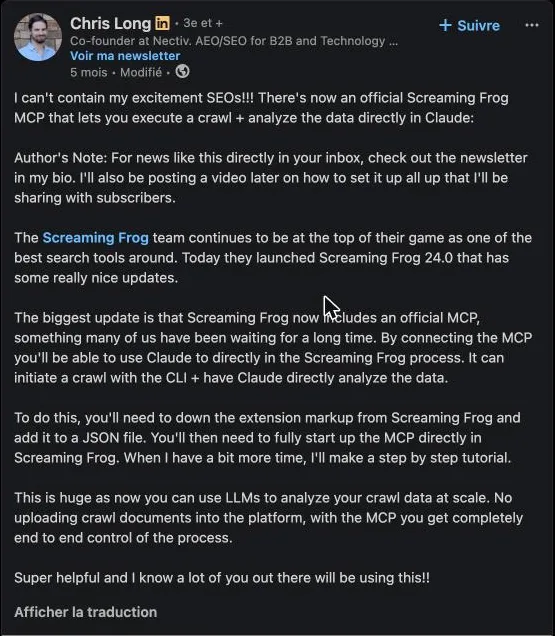
Chris Long, co-founder of Nectiv, was one of the first to talk about it on LinkedIn, on release day. For him, it is real end-to-end control, without having to upload files into Claude. His post passed 2,100 reactions. In the comments, several SEOs still wonder how many tokens it burns.
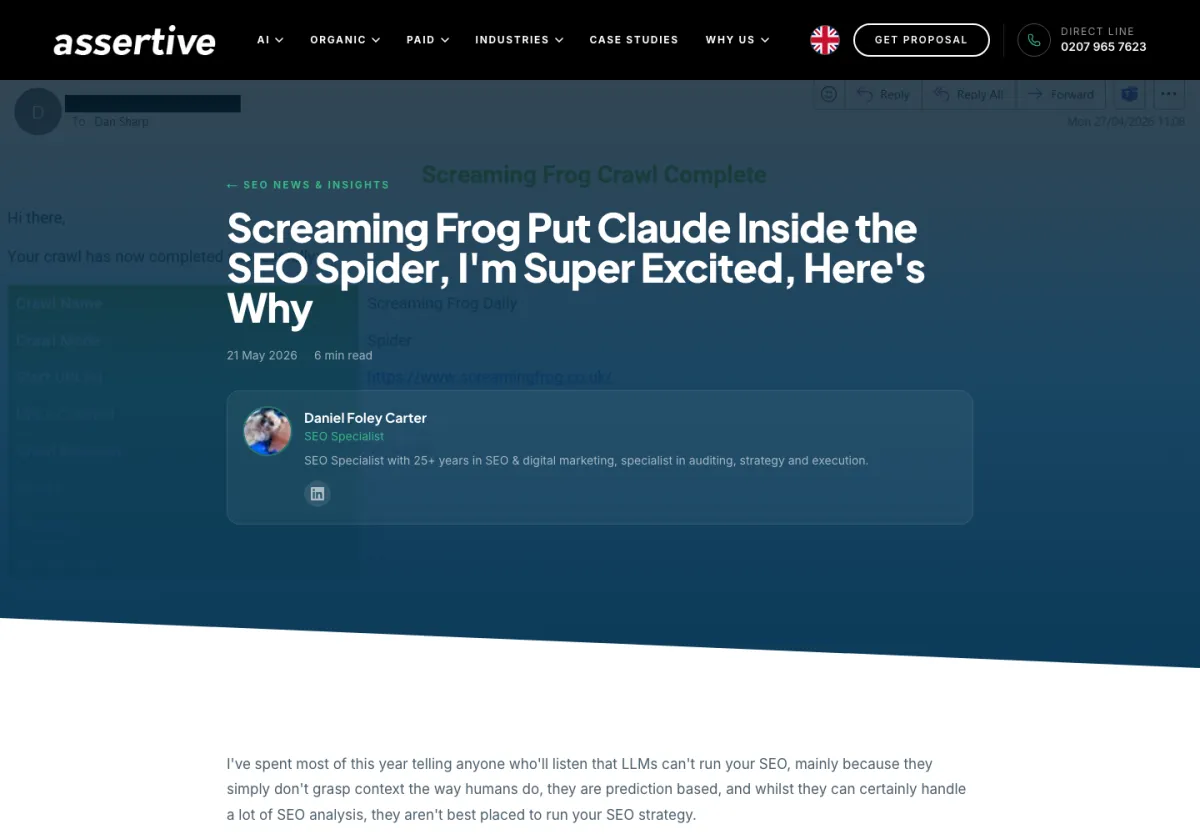
Daniel Foley Carter, from Assertive Media, is more measured in his article of 21/05/2026. For him, the MCP is an interface, not an operator: the AI can misread the data, so you need to review its conclusions the way you would review a junior’s first audit.
Jason Mellet, from All Great Things, ran a real test on release day, in Cursor, on a client site: about 973 URLs in 13 minutes. He saw exports blocked while PageSpeed and the OpenAI integration were running, and a settings window left open in the SEO Spider was enough to make the calls fail.
Rich Voller went further in his guide for agencies (26/05/2026, updated 12/06/2026). He found that crawls started by the MCP ignore the speed and user agent set in the interface: a crawl limited to 1 URL per second finished 500 URLs in 20 seconds. The fix is to save a configuration and pass it to the MCP. Same thing for JavaScript rendering and custom extraction.
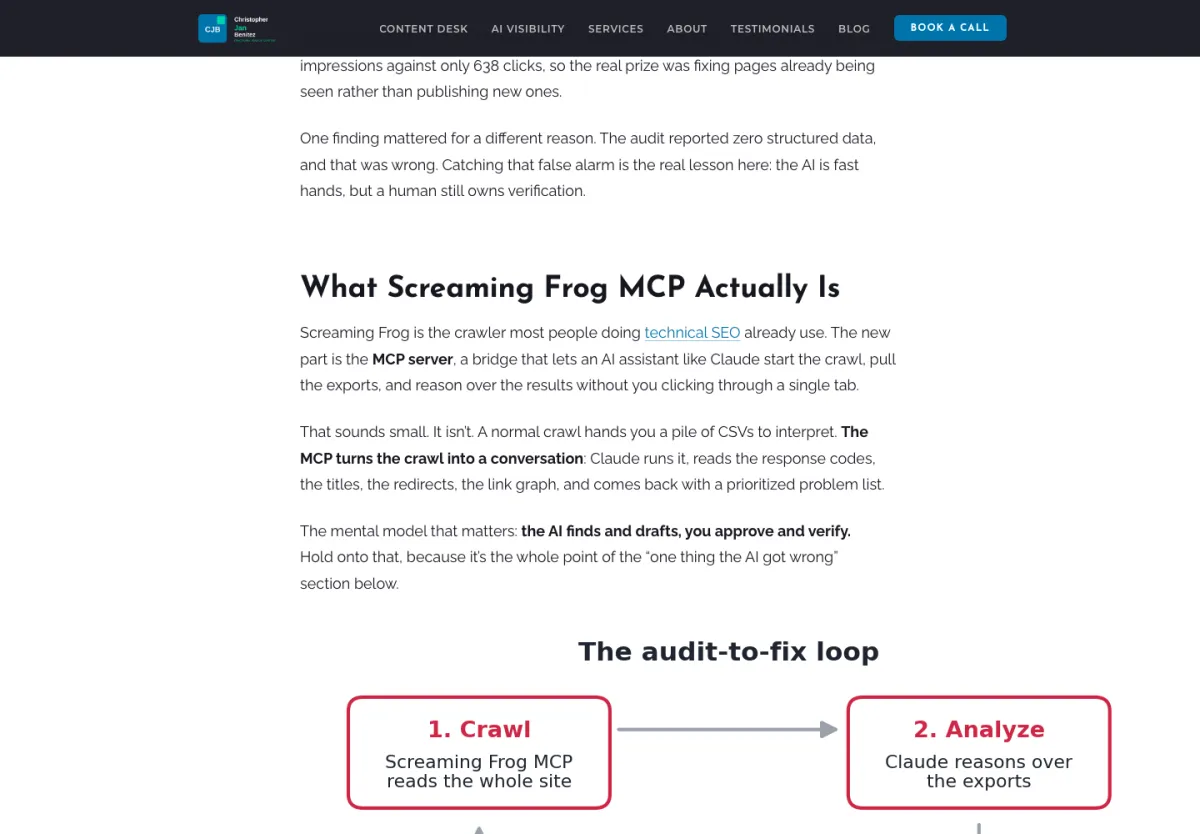
Christopher Jan Benitez fixed his site in a day (05/06/2026, updated 16/10/2026): 81 titles too long, 72 missing meta descriptions, 18 broken internal links. But Claude also told him he had no structured data, when the schema was actually there. Extraction was simply disabled in the crawl configuration. A good example of what Daniel Foley Carter was saying.
SEO feedback on the Sitebulb MCP
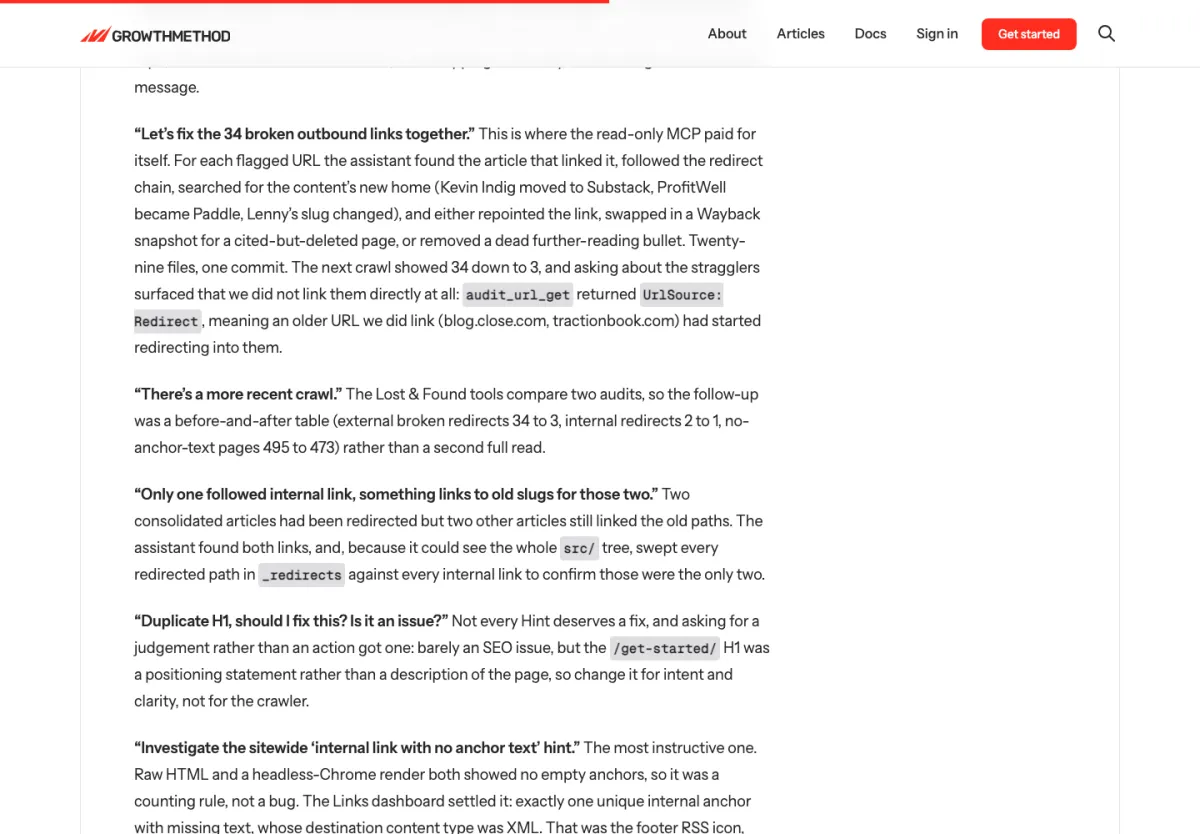
The only detailed test I found is Stuart Brameld’s, from Growth Method (17/08/2026, updated 16/09/2026). He had access to the MCP before its release and tested it in Claude Code on his own site. He fixed 34 broken outbound links spread over 29 files, and only 3 were left on the next crawl. He notes two limits: the login gives access to the whole Sitebulb workspace, and Sitebulb Cloud crawls can be blocked on sites protected by Cloudflare. His conclusion matches mine: neither is better in absolute terms.
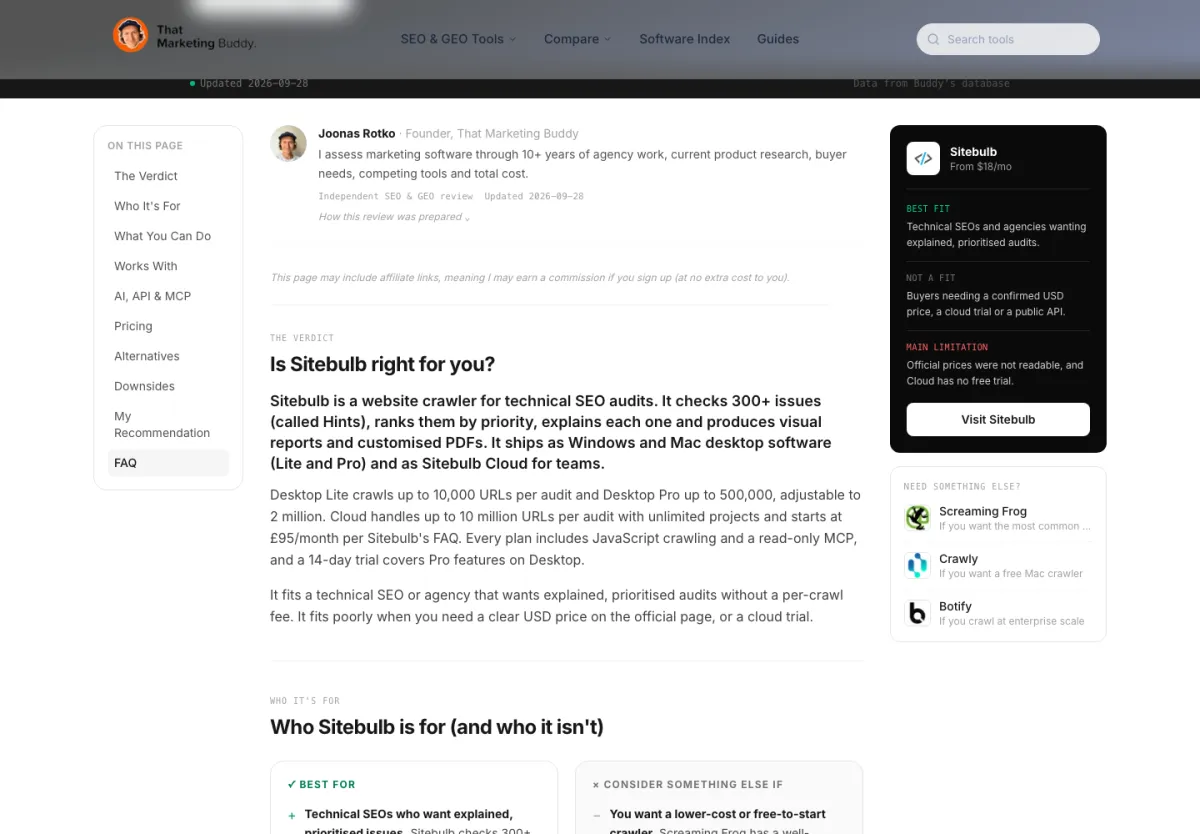
Joonas Rotko, from That Marketing Buddy, published a review of Sitebulb on 28/09/2026, stating that he did not test it himself. His advice is simple: don’t connect a client’s crawl without their agreement to share their data with an AI.
In short, SEOs agree on the basics. The Screaming Frog MCP is powerful, but you need to know how to configure a crawl and review what the AI says. The Sitebulb MCP is more guarded, but there is still too little field feedback to judge the quality of its answers.
My test of the Screaming Frog MCP on aioseo.fr
On 23/10/2026, I tested the Screaming Frog SEO Spider 24.3 MCP on aioseo.fr, my WordPress site in French and English. I started the server in HTTP mode and queried it directly, tool by tool, to keep an exact record of each call. I kept my usual crawl configuration, with the PageSpeed Insights API connected.
The server listed its 29 tools. The crawl started in under a second and went through 1,327 URLs in under 2 minutes. I then asked for the issues report, then the list of pages with several H1s.
| What the MCP found on aioseo.fr | Result |
|---|---|
| URLs crawled | 1,327 |
| Issues and opportunities listed | 62 |
| Most serious issue | 187 internal URLs returning 4xx |
| Hreflang | 10 URLs missing return links, 2 return links to noindex pages |
| Pages with two H1s | 338 |
| Images without alt text | 203 |
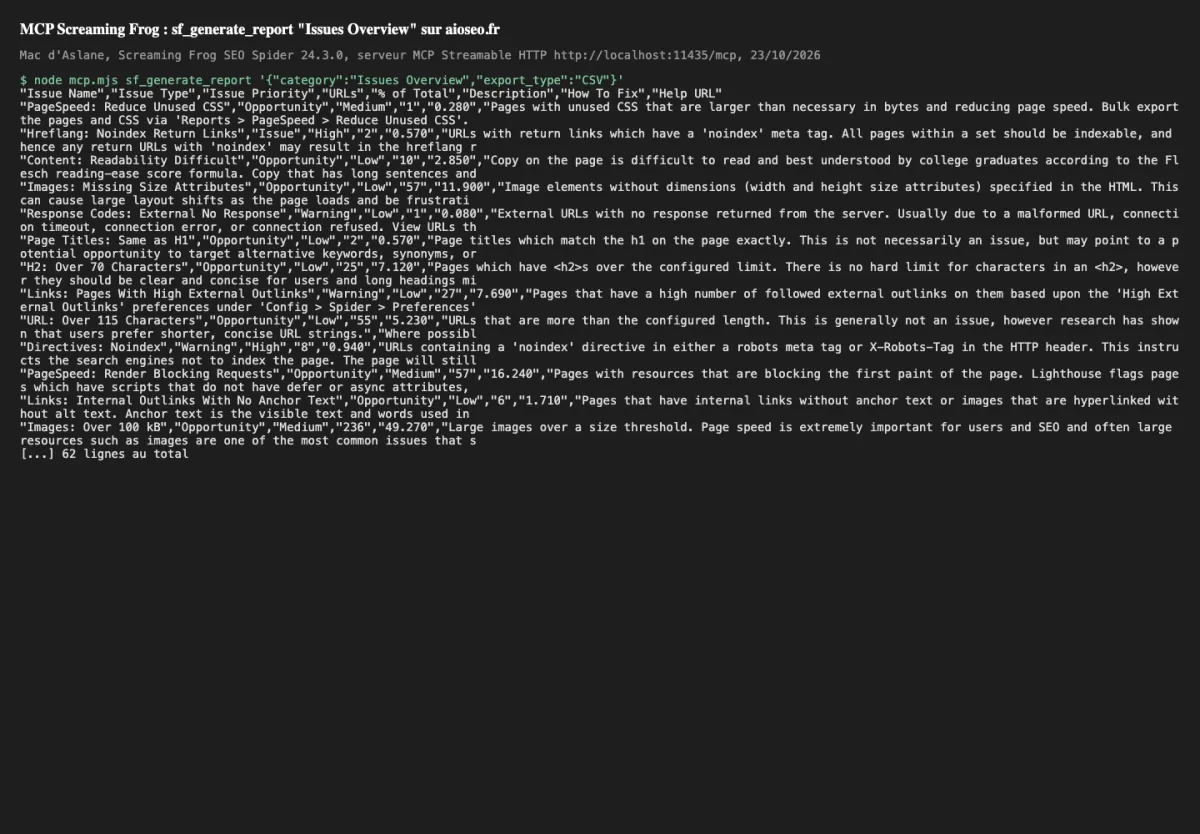
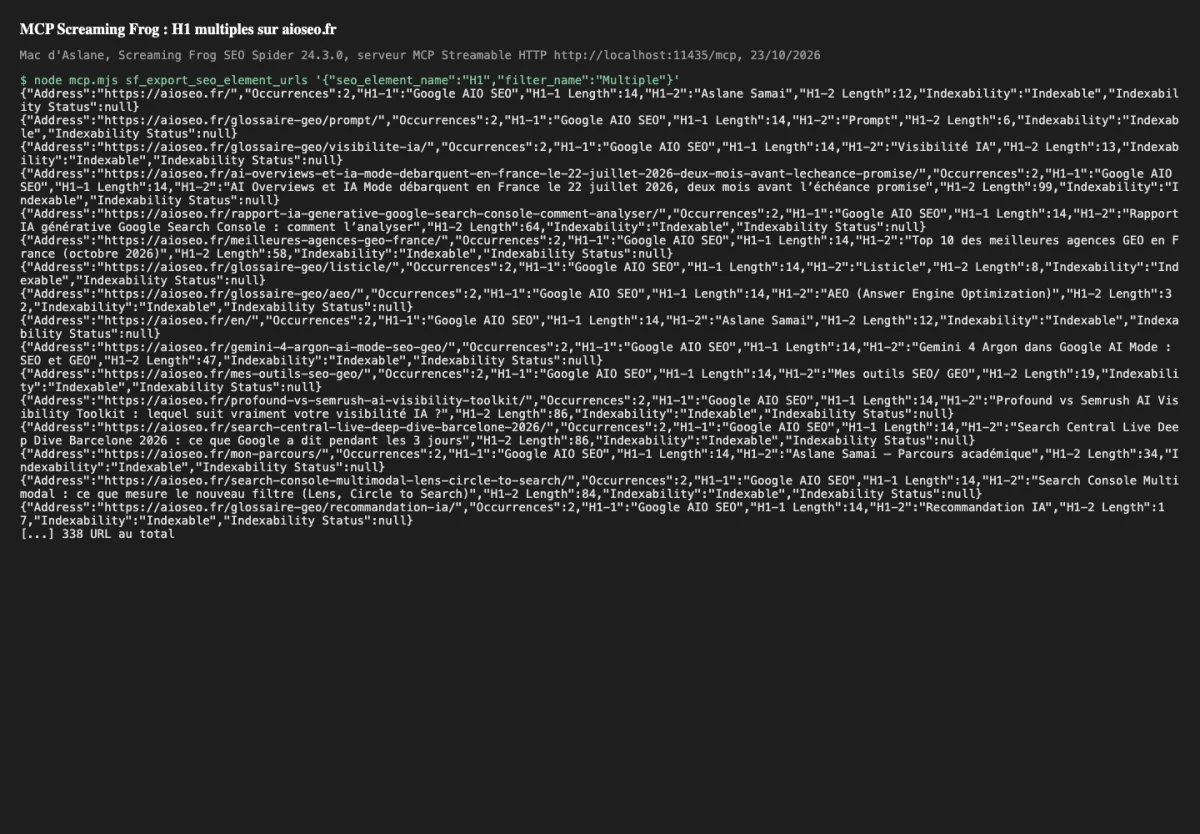
I already knew the cause of the 338 pages with two H1s: my theme puts the site name in an H1 on every page. The MCP spotted it right away. The 187 URLs in 4xx, on the other hand, I still need to check. That shows both the value of the MCP and its limit: it finds things fast, but it is up to you to understand why.
I also hit the same block as Jason Mellet and Rich Voller. As long as the PageSpeed API was running, every export returned “SEO Spider is busy”. An AI that does not know this behaviour may think something is broken. Next time, I will switch the APIs off before a crawl driven by the AI, and ask it to export to a file rather than receive everything in the conversation.
A small surprise: the tool that lists crawls already works in 24.3, while Dan Sharp announced it for version 25 in the comments of the May post.
This test has its limits: a single site of 1,327 URLs, a single day, and I did not test scripts or file writing. I have not yet connected the Sitebulb MCP to the same site. I will update this article with that test, with the date.
Screaming Frog MCP or Sitebulb MCP: which one to pick for your profile
If you are a technical SEO consultant and already have a Screaming Frog licence, the choice is easy: the MCP costs you nothing extra, the AI can drive your crawls and you get full exports.
If you work in an agency with sensitive clients (banking, health, insurance), I would rather go with Sitebulb. A read-only AI is much easier to get approved.
For an in-house team working with developers and tickets, Sitebulb also has the edge with its pre-release check and developer handoff Skills.
If you like building your own analyses (link equity, embeddings, data blending), it’s Screaming Frog, no question.
And if you just want to discover what an SEO MCP can do, start with the Sitebulb free trial.
For my daily work, I stick with Screaming Frog, because I want the AI to be able to recrawl after a fix. But for a client deliverable, I find Sitebulb’s read-only setup healthier.
If you want to see the other tools I use, I have a dedicated page: my SEO and GEO tools. Tracking your visibility in AI is a different need, which I cover in the top 10 GEO tools. And I tested other MCPs useful for GEO in my article on the Chrome DevTools and Google Analytics MCPs.
FAQ about the Screaming Frog MCP and the Sitebulb MCP
Does the Screaming Frog MCP work with the free version?
No, you need a paid SEO Spider licence, version 24 or later. The licence costs €245 ($279) per year per user.
Can the Sitebulb MCP start a crawl?
No, it is read-only by design. You start the crawl in Sitebulb, then query the audit once it is finished.
Is the Sitebulb MCP paid?
It is included in every Sitebulb plan, from €15 per month. The free trial includes it too.
Which AI assistants work with these two MCPs?
Screaming Frog documents Claude Desktop and LM Studio. Sitebulb has been tested with Claude and ChatGPT, and should work with other MCP compatible assistants.
Does my crawl data stay private with a local MCP?
Not completely. The server runs on your machine, but everything the AI reads during the conversation goes to the AI provider.
Sources for the Screaming Frog MCP vs Sitebulb MCP comparison
All sources were checked on 23/10/2026.
- Screaming Frog, “MCP Server”, official guide, Dan Sharp, 17/03/2026, updated 19/08/2026.
- Screaming Frog, “SEO Spider Update, Version 24.0”, Dan Sharp, 19/05/2026.
- Screaming Frog, SEO Spider pricing page.
- Sitebulb, “Introducing Sitebulb MCP”, Jojo Furnival, 09/09/2026.
- Sitebulb, Desktop and Cloud pricing page.
- Sitebulb Support, MCP connection guides (17/07/2026 and 20/07/2026), “What the Sitebulb MCP can and can’t do” (20/07/2026), MCP FAQ (10/08/2026).
- Growth Method, “Sitebulb MCP Server”, Stuart Brameld, 17/08/2026, updated 16/09/2026.
- Chris Long (Nectiv), LinkedIn post on the Screaming Frog MCP, May 2026.
- Assertive Media, “Screaming Frog Put Claude Inside the SEO Spider”, Daniel Foley Carter, 21/05/2026.
- All Great Things, “Screaming Frog v24 MCP in Cursor”, Jason Mellet, 19/05/2026.
- Rich Voller, “Screaming Frog v24 MCP: The Complete Agency Guide”, 26/05/2026, updated 12/06/2026.
- Christopher Jan Benitez, “Screaming Frog MCP: I Fixed My Site in a Day With Claude”, 05/06/2026.
- That Marketing Buddy, “Sitebulb Review”, Joonas Rotko, 28/09/2026.
- Google.fr, results for “mcp screaming frog”, 23/10/2026.
Why I compared the Screaming Frog MCP and the Sitebulb MCP myself
I’m Aslane SAMAI, an independent SEO and GEO consultant. I use Screaming Frog and Sitebulb for my audits, and I watched both MCPs arrive with the same question as you: does this really change the way I audit a site, or is it just one more demo?
So I tested on my own site, with my own licence. I’m not paid by Screaming Frog or Sitebulb, and I don’t work for any agency. What you read here is what I saw, not a partnership.
Have you tested one of the two MCPs and seen something different? Spotted a mistake in a price or a feature? Write to me through the contact page. I fix it, and I date every correction in the article.
Leave a Reply
You must be logged in to post a comment.