January 9, 2026
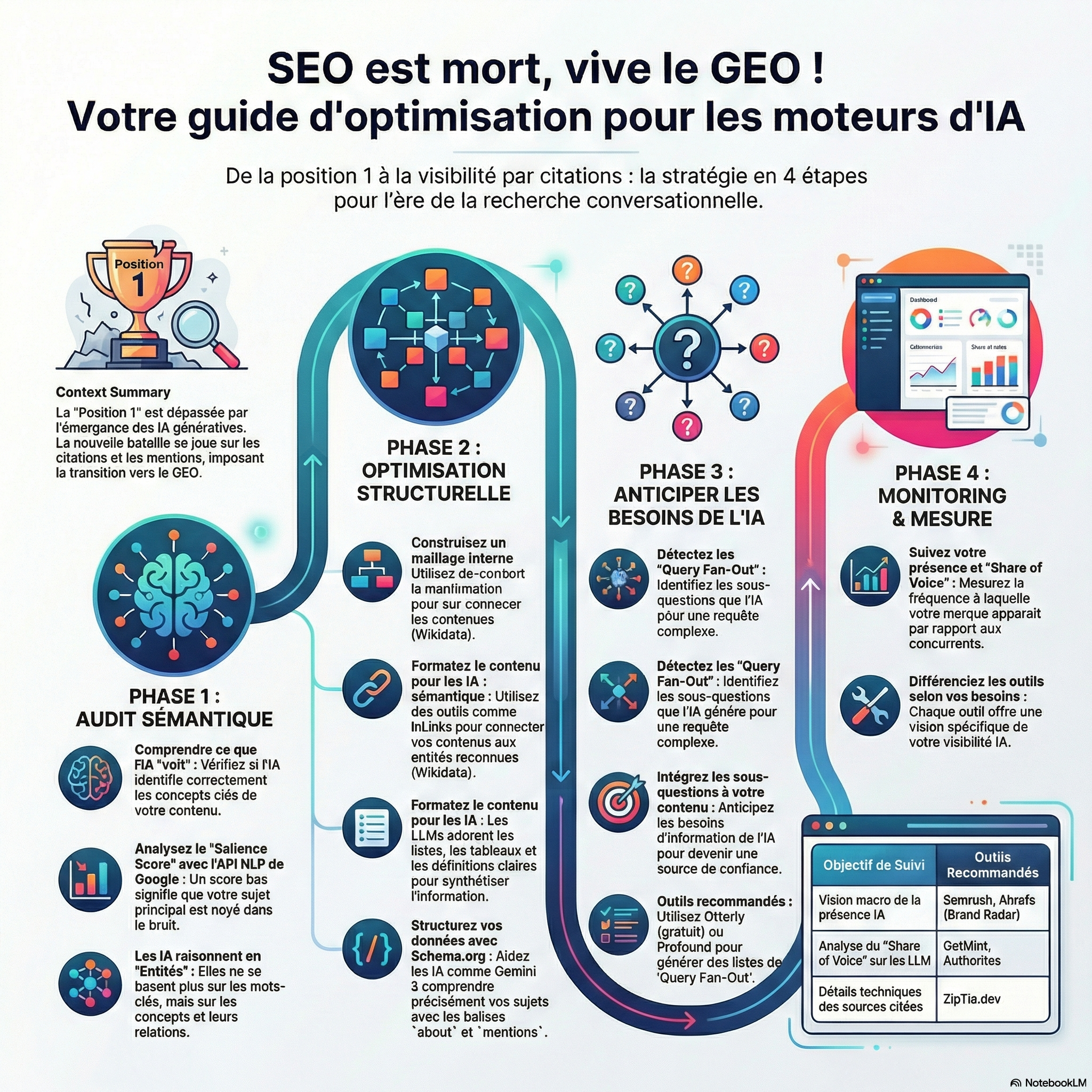
With the arrival of Google AI Overviews, the Mode IA, and llm, the concept of ‘Position 1’ is dead. Today, the battle is played more on the links blue. It is played on the citations and the references.
If the KPI changes, your tools need to change. You will not win the war of the AI with the SEO tools common.
Here is my selection of the best tools GEO (Generative Engine Optimization) to audit, track and force your visibility in the LLMs.
In this article
- Analysis tools crawlabilité IA, LLM, Google AI Overviews, and AI Mode.
- Tools for analysis of Entities : to Understand how the AI reads
- The Tracking of the visibility and position on AI
- Follow its positioning Google AI Mode with Ahrefs
- Follow its positioning Google AI Mode with Getmint
- Follow its positioning Google AI Mode with Ranking
- How to detect the Query Fan Out ?
- Detect the query fan out with Query Fan Out generator
- Tools to extract the Query Fan Out of Chatgpt
- Extract the Query Fan Out of Chatgpt manually
- Continue reading
Analysis tools crawlabilité IA, LLM, Google AI Overviews, and AI Mode.
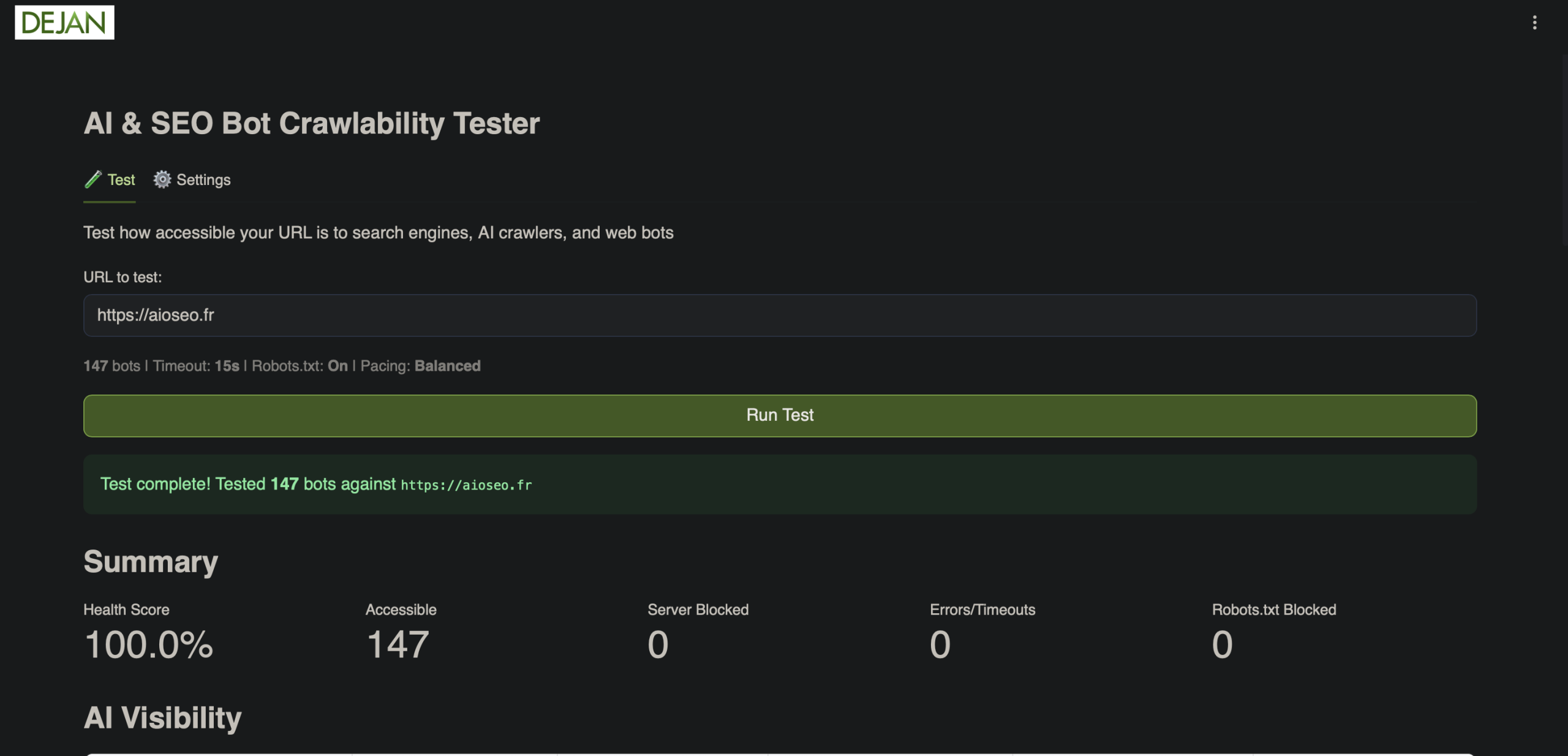
The team of Dejan.have, that I like, surprised us with a little tool that is free and easy.
It allows you to test if your site is crawlable by search engines classics, but also by search engines generative.
Tools for analysis of Entities : to Understand how the AI reads
The LLMs (Gemini, ChatGPT) do not think in keywords, but in Entities and relationships. For ranker in AI Overview, AI Mode and LLMs, you’ll need to verify your authority on your subject of choice in connecting the concepts between them.
Personally, I use tools that allow me to see my content as a robot :
Google Cloud Natural Language API
This is the basis. Before optimizing, it is necessary to see what Google sees. I spend my content here to audit :
- Extraction of Named Entities (NER) : I check that Google identifies the entities, keywords, etc in my texts.
- Computation of Salience : If my target entity has a score of salience below my expectations, I know that I’m drowned in the noise. I try to rework the content.
For the use of the API NLP, I tried to do it on Gcloud, it was painful. So I opted to use VS Code.
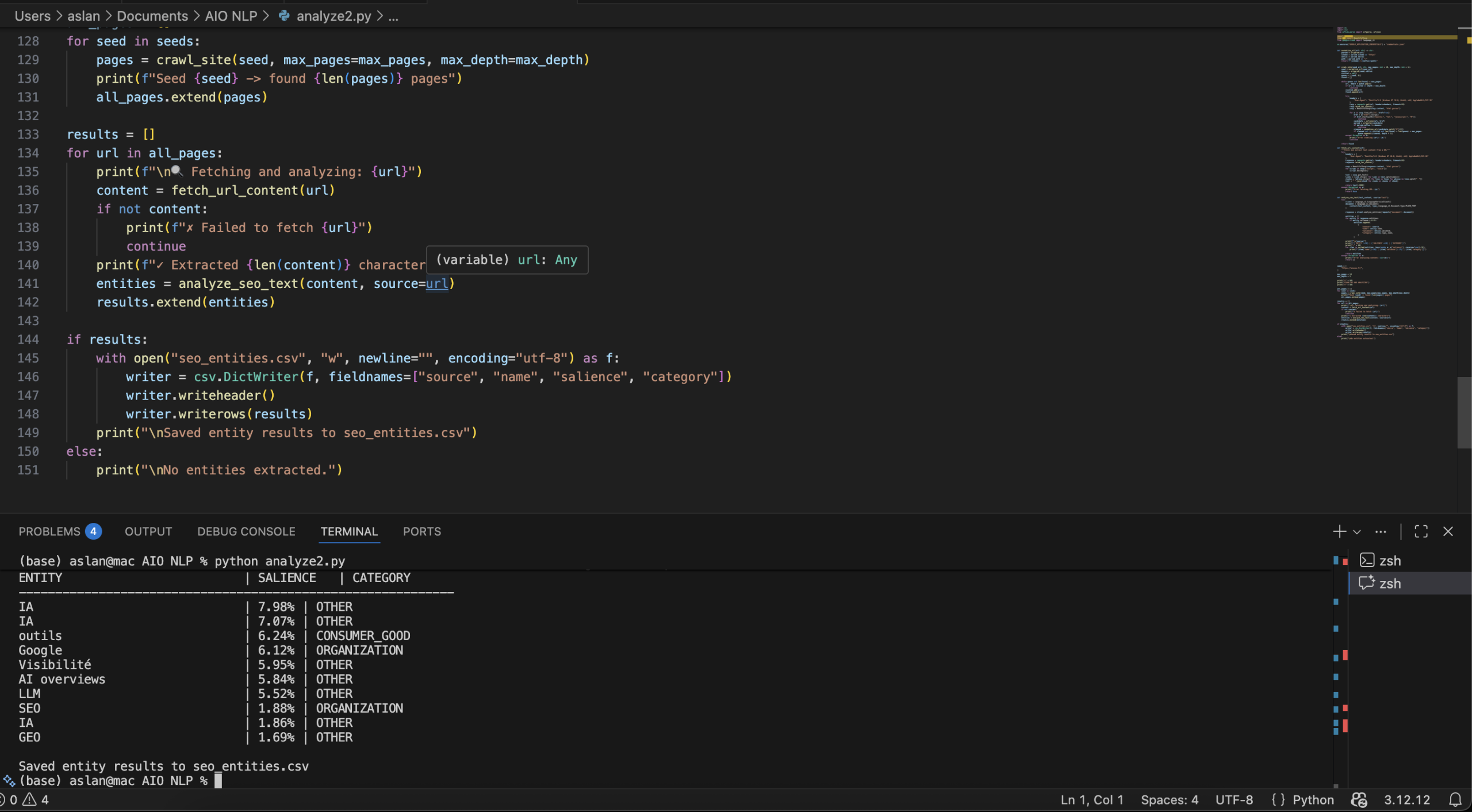
I find that it is much more clean like it. Otherwise, by default, the tool does not check that a URL to the times, which is not ideal.
With a little boost of Gemini, I was able to retrieve a script that allows the crawler X number of URLs at once.
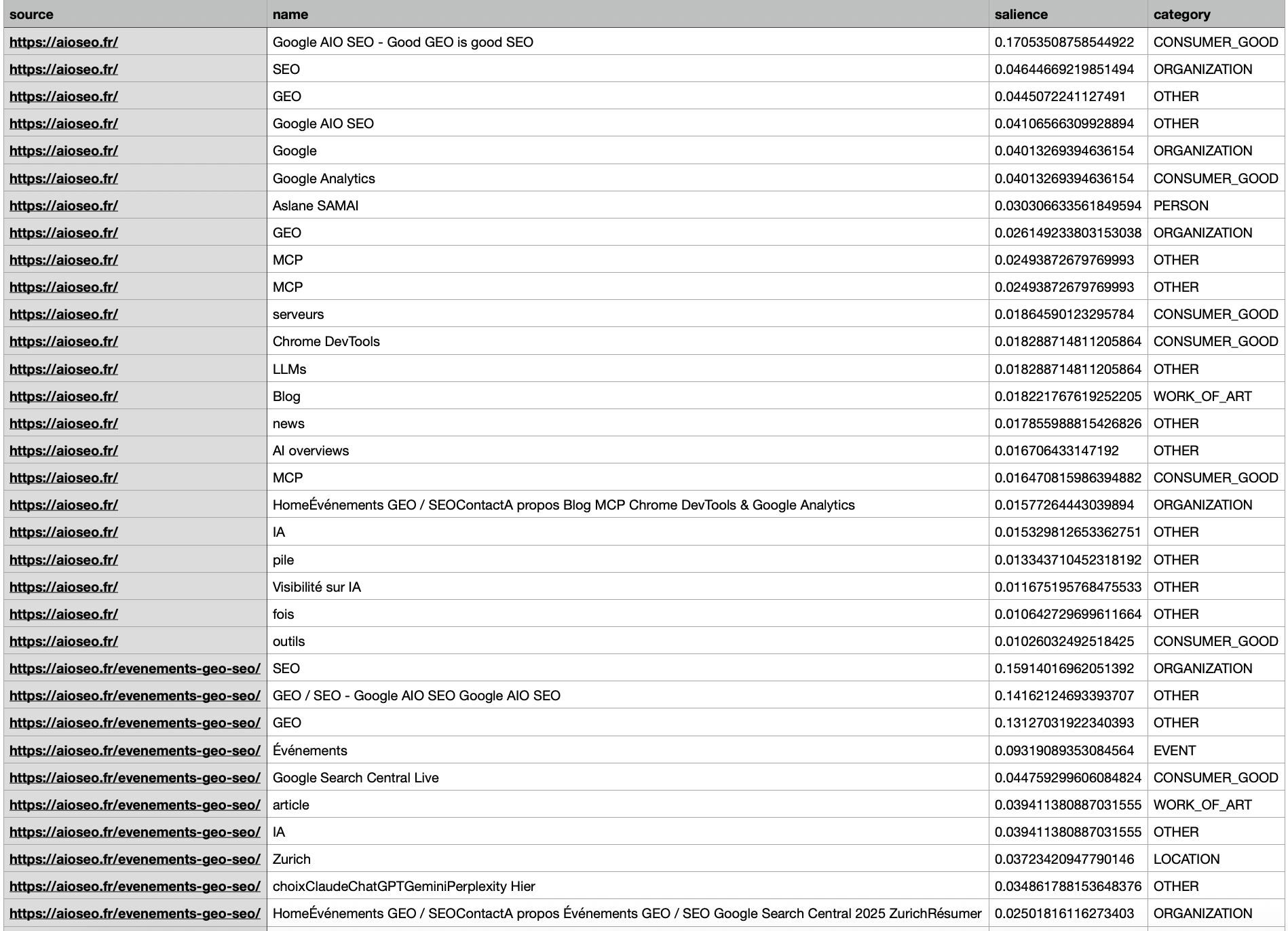
I also find the order in which URLs are returned quite interesting.
Here is an example of the results…
InLinks
The only tool general public able to automate the construction of a true Knowledge Graph internal.
It is essential for the GEO, as it :
- Identifies and automatically combines your content to the entities Wikipedia / Wikidata.
- Generates a mesh internal semantics (much more intelligent than a simple mesh by keywords).
- Automatically creates the Schema Markup about and notices, which is essential to enable the LLM as a Gemini to understand your subjects.
Inlinks is paid.
But if your budget is limited, you can already take advantage of their free tool to identify the entities on your pages.
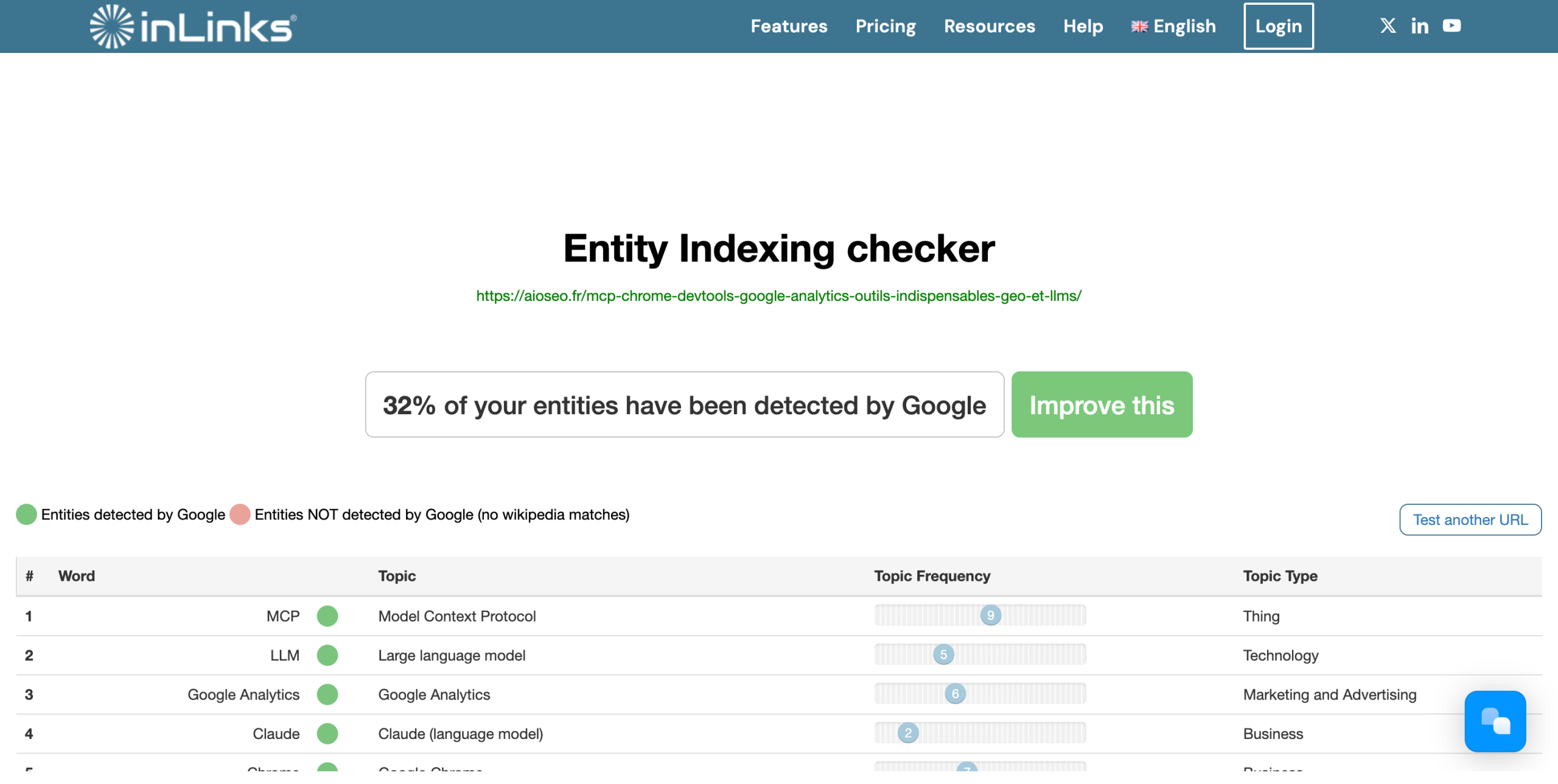
And to go further, their API offers a processing NLP which, according to them, surpasses that of Google. See..
TextRazor
To go further than the API NLP to Google, TextRazor is an excellent alternative.
It is distinguished by :
- Extraction of complex relations between entities
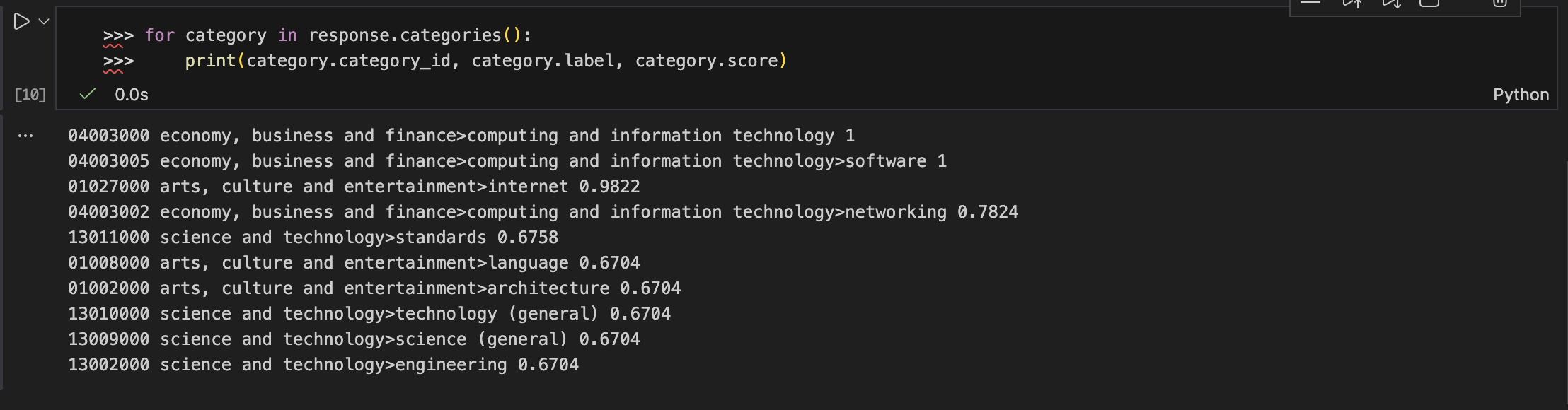
- A categorization fine, the coarse-grained to fine-grained taxonomy
These features make it possible to better structure the content and feeding strategies as the RRF (Reciprocal Ranking Fusion), the method used to merge the scores of results during a query fan-out in the LLM.
May be the fault of content in French, or in my settings hazardous.
The Tracking of the visibility and position on AI
The classical tools Semrush, Ahrefs offer already tools to track the visibility on the AI.
Follow its positioning Google AI Mode with Semrush
Semrush, one of the indispensable tools of SEO, you can now track the traffic generated by Google AI Overviews and ChatGPT.
For the moment, these two sources are still treated separately, but it moves quickly.
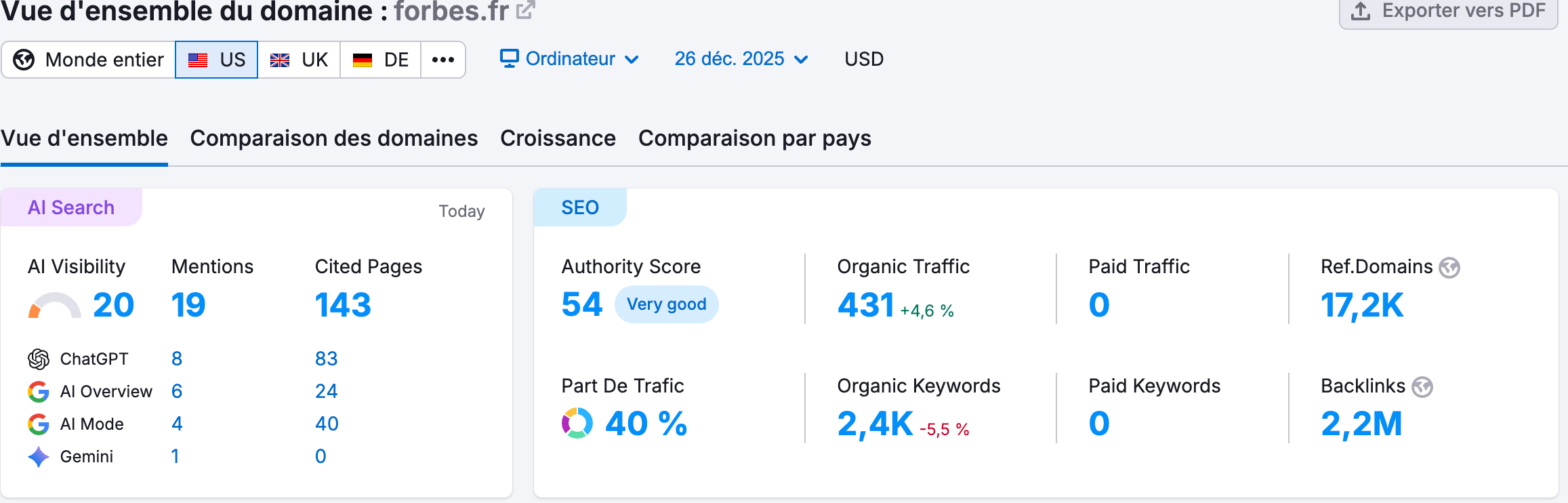
HAVE Visibility Toolkit displayed :
- the position,
- a score of visibility,
- the pages referred to,
- and the track of the keywords (up to 50 queries).
On the dashboard overall, we also see clearly where is the traffic — ChatGPT, ‘VE Overviews, AI Mode, Gemini, etc
Handy to know which converts really visits, rather than relying on intuitions
After that, there are also tools emerging that are capable of detecting the presence on the LLMs , ‘VE Overviews, AI Mode.
Follow its positioning Google AI Mode with Ahrefs
Ahrefs, for its part, has launched Ahrefs Radar, a result thought to follow its visibility in the responses generated by the AI.
The brick is the more interesting, it is Brand Radar :
it identifies the queries where your brand appears in the results of AI, whether Google HAVE Overviews, ChatGPT or other engines generative.
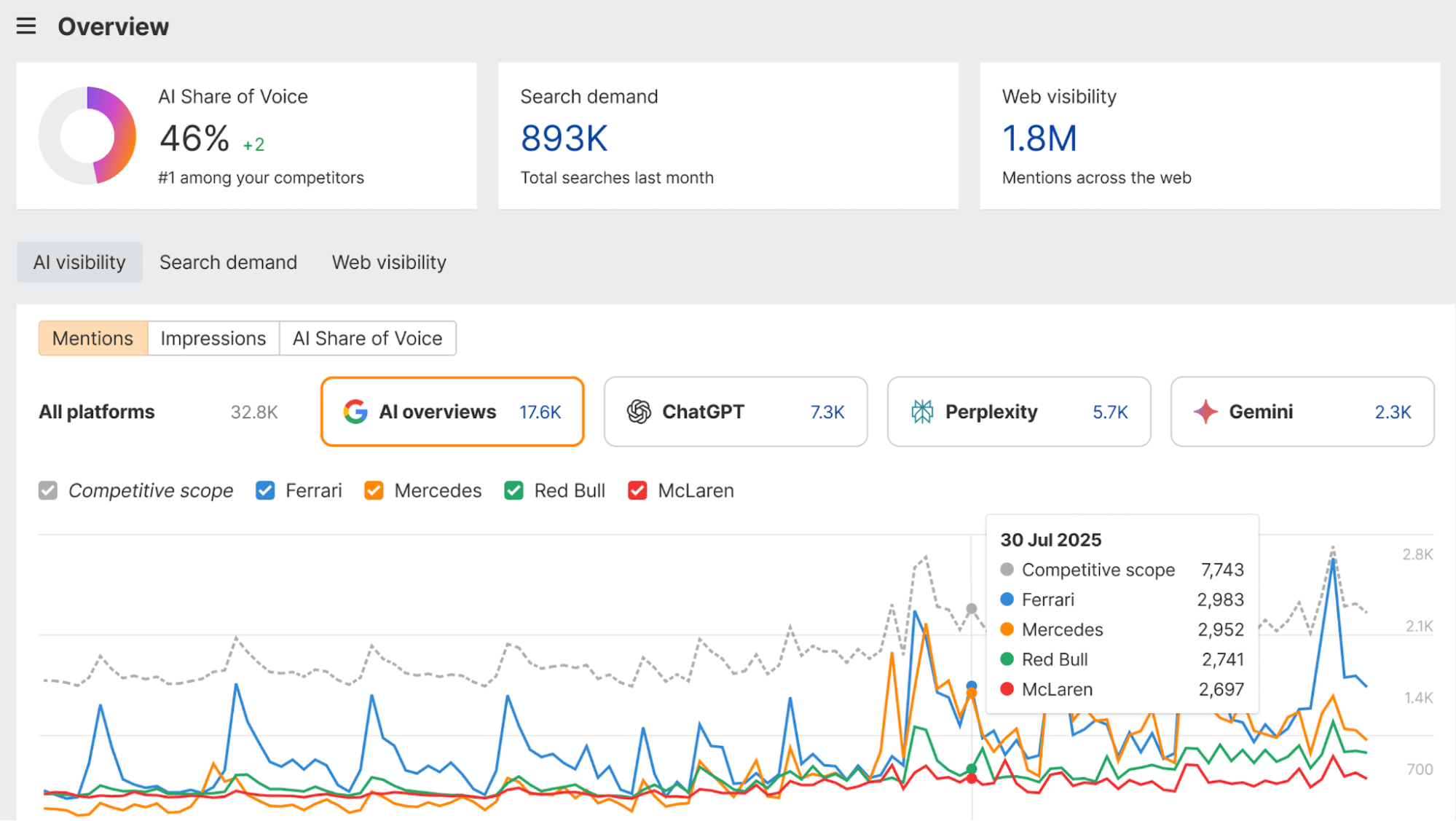
Concretely, Brand Radar enables you to :
- detect mentions of your brand in the previews IA ;
- identify competitors that are imposed on these same queries ;
- to understand in what contexts, categories or applications, your name was mentioned.
A first not easy to know if the AI sees you, or ignore you.
Follow its positioning Google AI Mode with ZipTie.dev
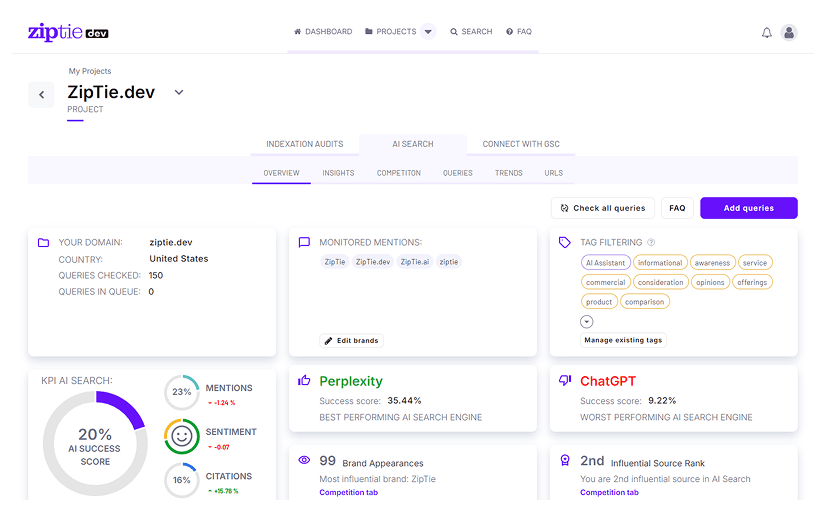
Currently the most advanced tool on the market for the tracking GEO.
- It differentiates triggers ‘Generate’ button (button) triggers automatic.
- It lists precisely the URLs cited in the carousels of sources.
- It allows you to measure the volatility-specific’VE Overviews.
Follow its positioning Google AI Mode with Getmint
Recently launched, it comes with the same promise as Semrush, Ahrefs & co,
but adding a twist interesting :
a follow-up of visibility thought directly to Gemini, ChatGPT, Perplexity,
and, by extension, ‘VE Overviews and AI Mode.
To be clear : it is positioned as a native tool “search + IA”,
rather than SEO classical increased by a brick, I.
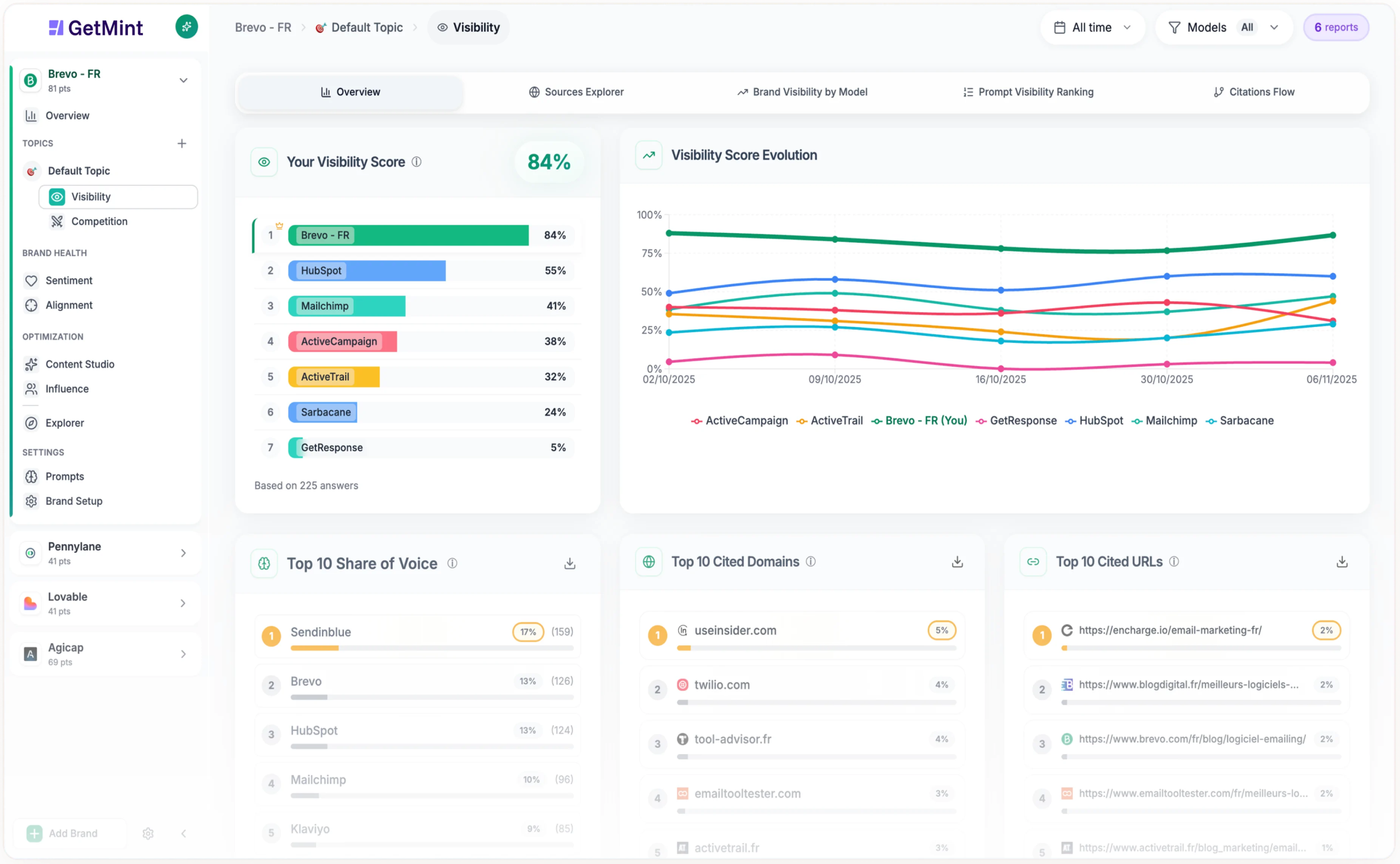
GetMint monitors mentions of brand in the LLMs, analysis, citations and sources, assesses the feeling, offers intelligence, competitive and generates recommendations for optimization content.
They offer including :
- A dashboard for real time monitoring with alerts
- Analysis of the share of voice by industry
- A Content Studio built to go from insight to production
- Publishing to a network media partner to influence the sources AI→ big asset, because it can have an impact directly on the models
More than 200 customers already use : Belambra, Sellsy, Sopra Banking, Big Mamma…
For the needs France / Switzerland, GetMint out from the crowd thanks to its positioning GEO multi-LLM.
Follow its positioning Google AI Mode with Ranking

SE Ranking also offers a solution to track its position on AI mode. To do this :
- Register or log-on seranking.com, and then go on the dashboard’VE Visibility Tracker.
- Add your website/domain and your keywords to target, select the locations/devices, and then click ‘Track’ (Track).
- Check out the indicators such as the number of citations, the average position in the responses and the market share of competitors, and then export the data for audits.
Follow its positioning Google AI Mode with Authoritas
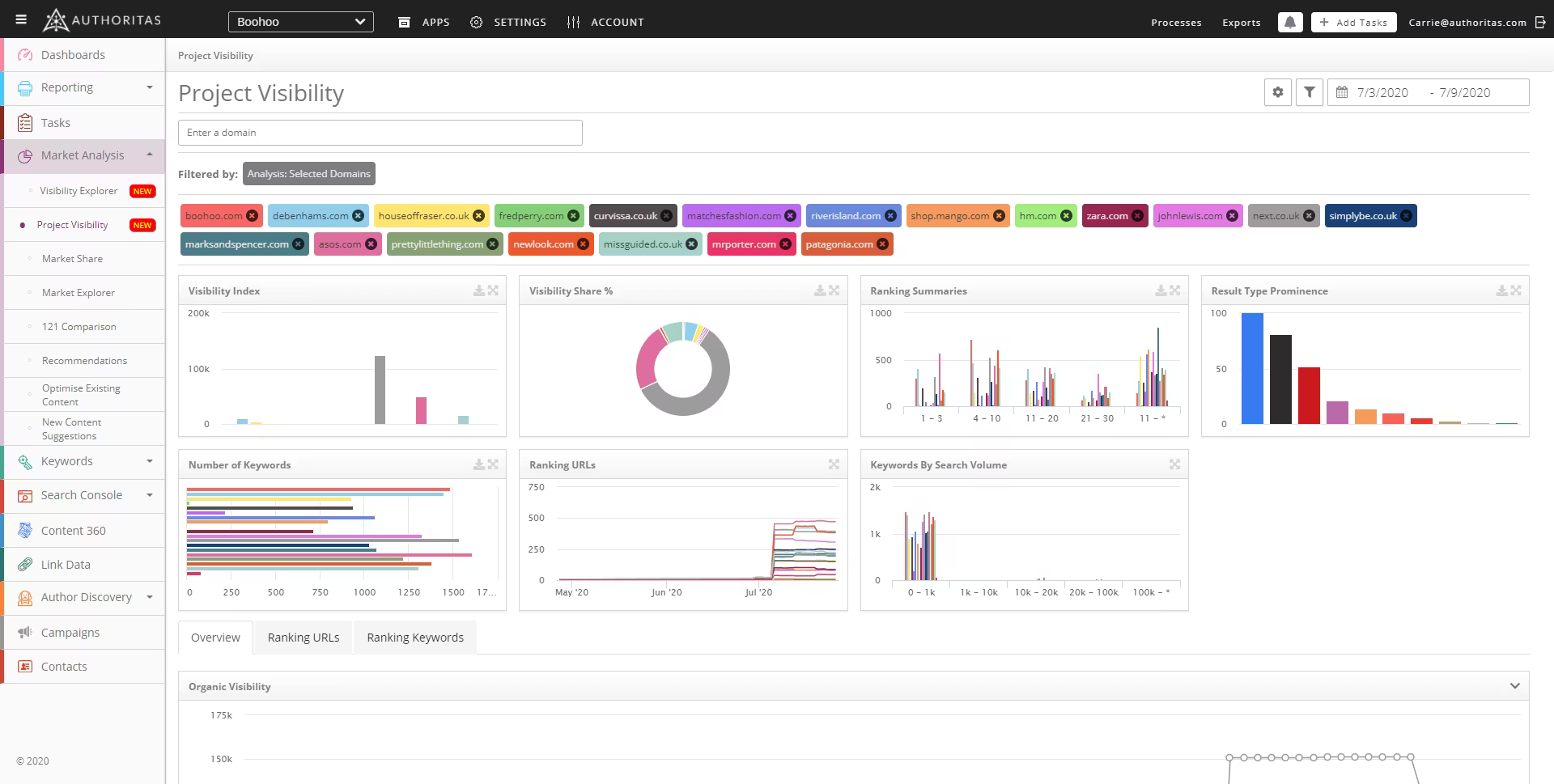
Excellent for Share of Voice (SoV).
Authoritas allows you to :
- see how often your brand appears in the generated responses compared to your competitors
- analyze the ‘Follow-up questions’ (follow-up questions) proposed by the AI.
How to detect the Query Fan Out ?
Gemini uses the Query Fan Out, as ChatGPT, to break down a complex query into sub-questions (branches). The goal is to produce answers structured and atomic.
If your code or your data are drafts, the AI will simply go on their way. You need to give them pieces of information ‘ ready to eat ‘.
Detect the Query Fan Out with Otterly
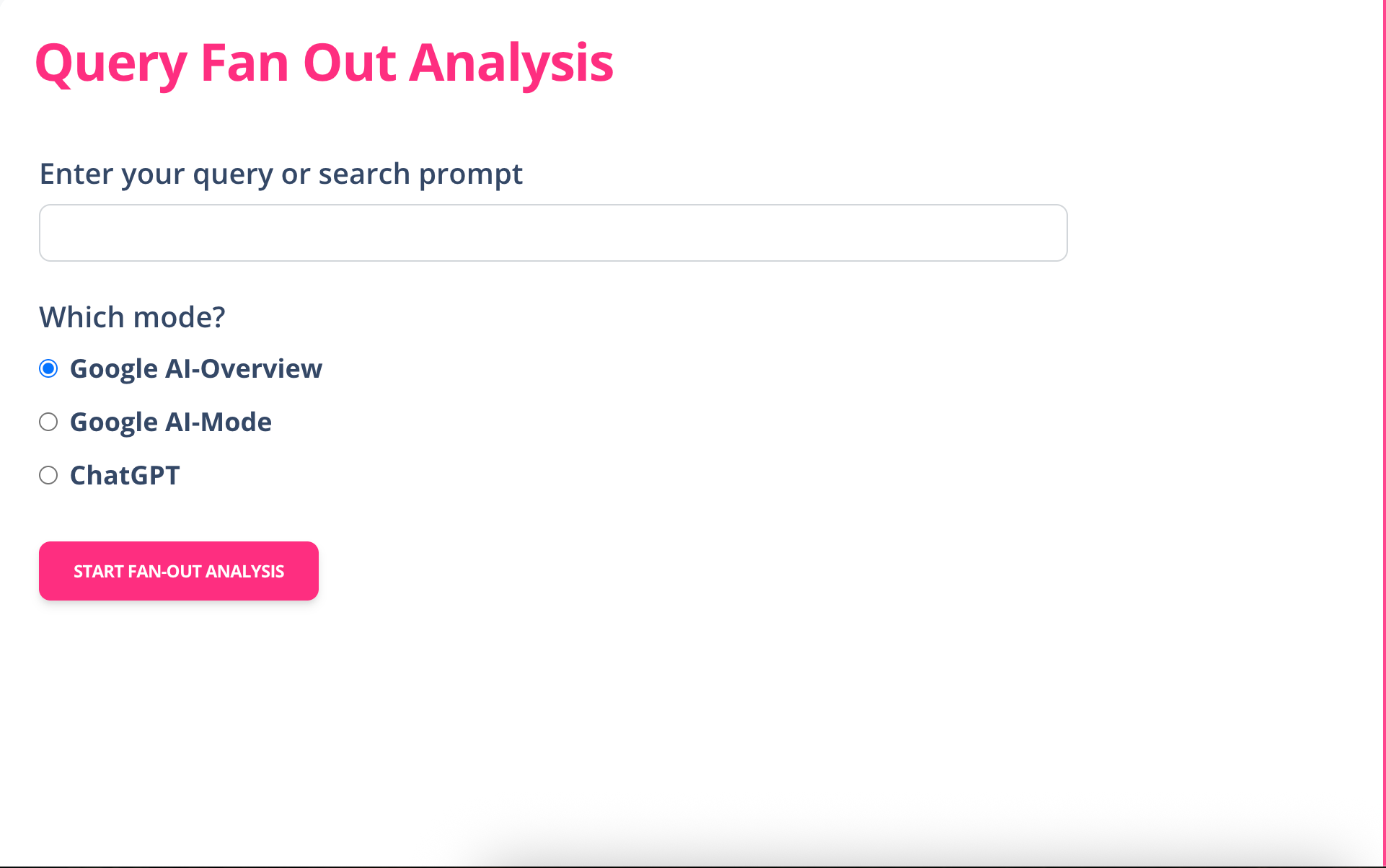
For me, Otterly is the best tool to generate Query Fan-Out : a free, simple, with a choice of the mode of analysis.
TheIA Mode is more advanced than the Google AI Overviews, which remain light as it is based on Google Fast Search.
Otterly distinguishes the query fan-out of the IA Mode, ‘VE Overviews and ChatGPT. Geeky like detail, but under the hood, I’m not sure that there is a real difference in the operation.
Detect the query fan out with Profound
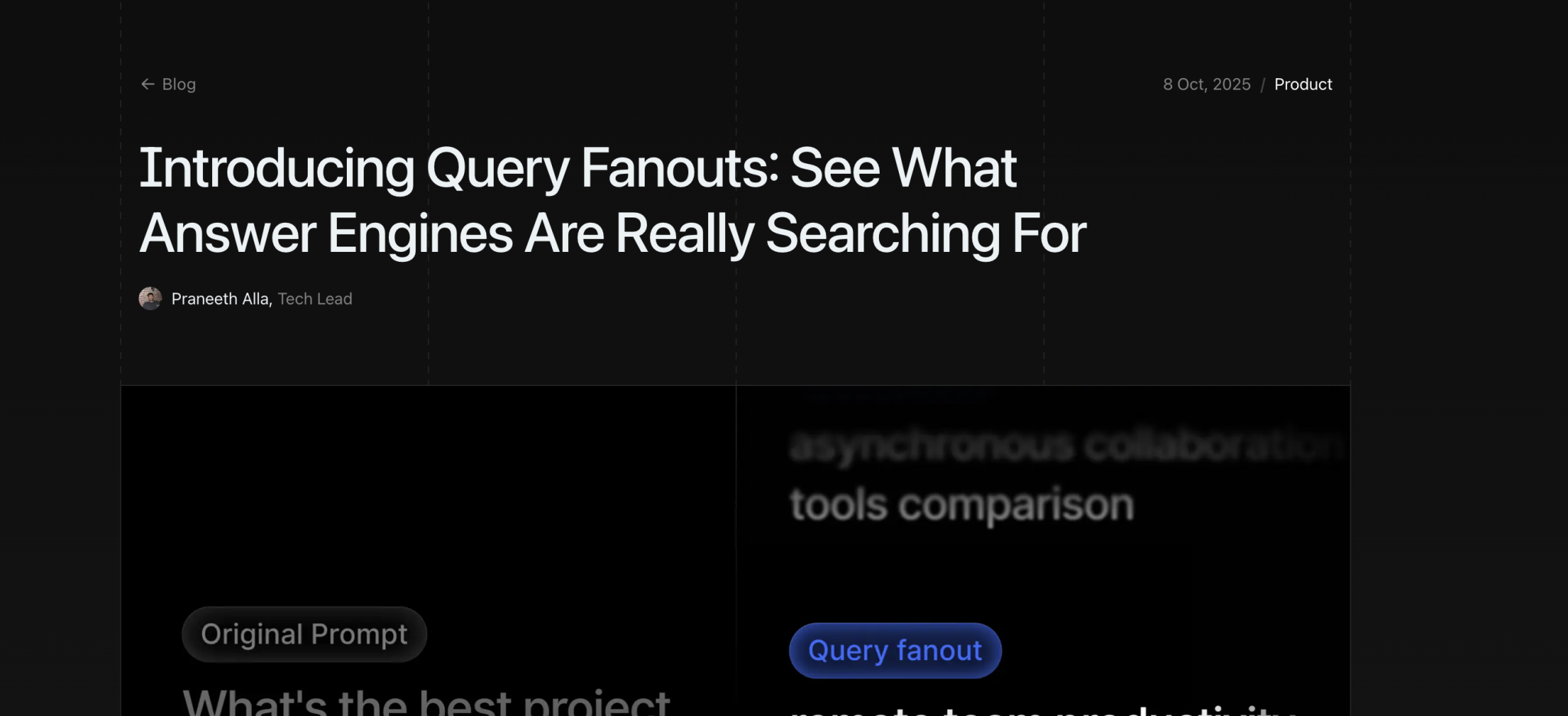
Profound plays in another category. Unlike free tools, it runs on a subscription basis, starting at $ 99 per month.
His promise is ambitious : in addition to the sub-queries generated by the Query Fan-Out, it allows to track the visibility of your brand in the LLM as ChatGPT, Gemini, and other models major.
The platform goes even further by offering services optimization and integration of brand directly in the IA.
Personally, I have a small doubt on the effectiveness of it all… but it’s worth a look.
Detect the query fan out with Query Fan Out generator
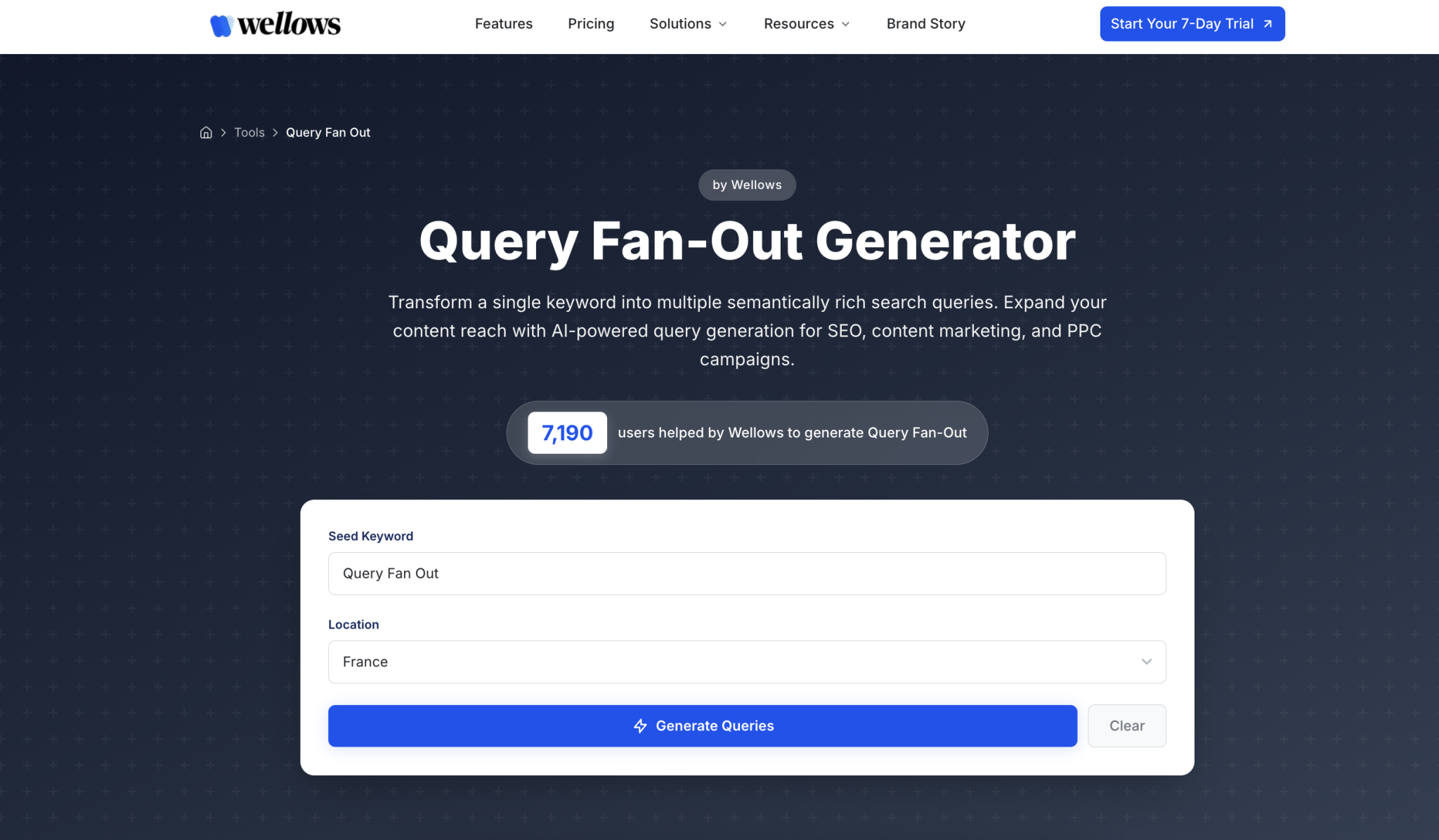
This generator is not bad too ! I have tested it and it has some advantages :
- it categorizes the sub-queries in order of priority.
- it allows you to download the sub-queries to be easily integrated into your content strategy.
- and the icing on the cake : it is free.
Tools to extract the Query Fan Out of Chatgpt
As I said earlier, there is actually a small difference between the query fan-out of Google and those of ChatGPT.
Moreover, some tools are for the sole promise of generating the query fan-out specific to ChatGPT.
SEO Pub ChatGPT Search Query and Reasoning Extractor
This bookmark allows you to retrieve the Query Fan-Out since ChatGPT.
Create it in your browser (Chrome is preferred) and click on it after running a query.
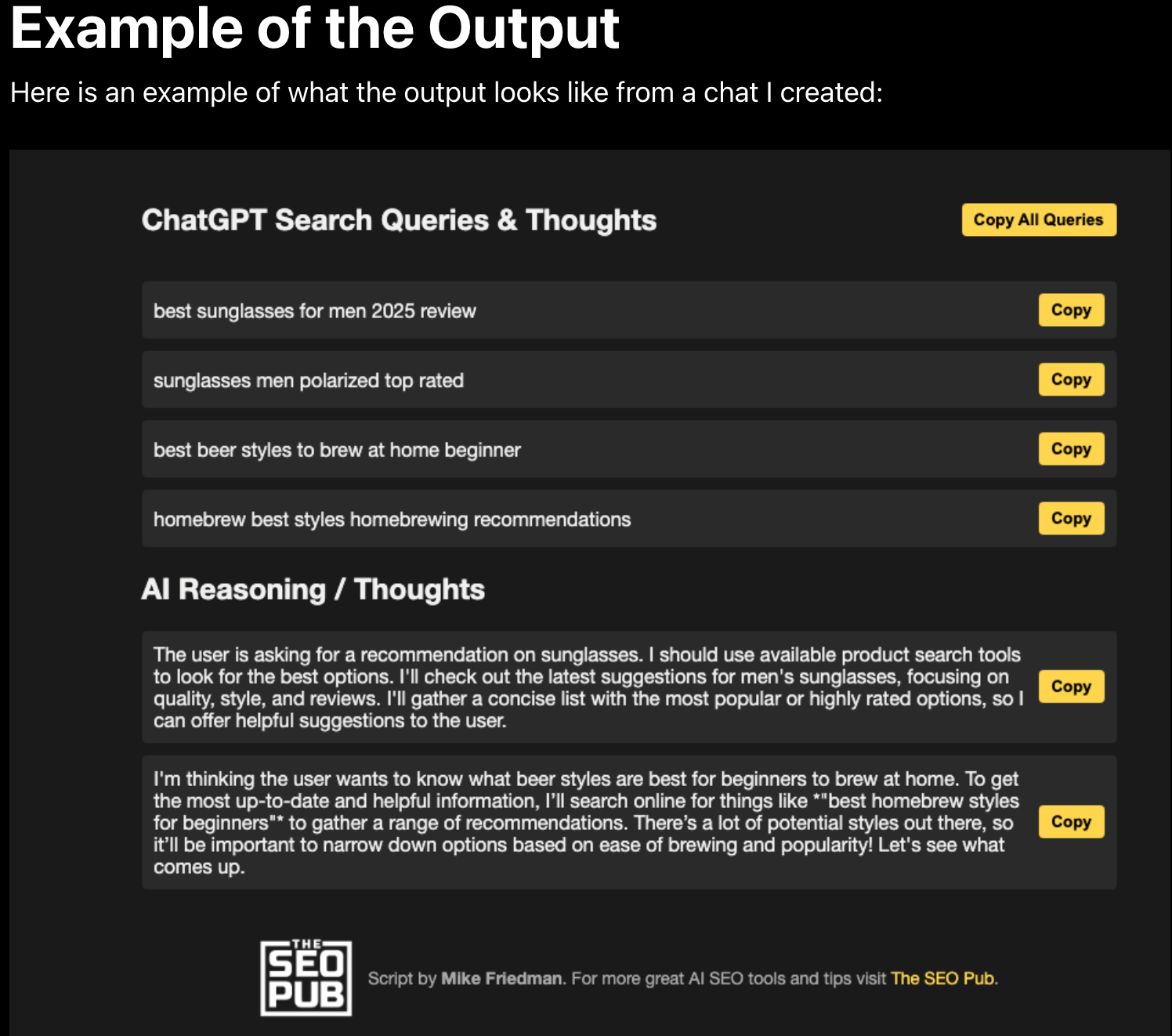
Personally, it works rarely : either ChatGPT remains discrete, or the technique no longer works. In short, not very reliable.
Extract the Query Fan Out of Chatgpt manually
Edward Sturm, SEO consultant, has proposed a little tutorial to extract the Query Fan-Out from a discussion ChatGPT.
Personally, I tested it : it works… but the sub-queries are often rare, usually only one or two.
Your browser can’t play this video.
Learn more
Continue reading
- The Chunking is a technique to optimize SEO and GEO ?
- Top 10 tools GEO to track your position IA (2025)
- MCP Chrome DevTools & Google Analytics : essential for GEO and LLMs
- Visibility on AI (Google mode AI, AI overviews, LLM) : the tools we mistaken ?
- How do I know its positioning on Google AI Mode and HAVE Overviews?
Leave a Reply